πMerge customers
Instructions
"Customer Merge" feature provides an effective solution for handling and consolidating duplicate customer records within an organization. With this feature, you can merge multiple duplicate customer records into a single record, ensuring the cleanliness and accuracy of the database.
Customer merge rule: secondary records will be permanently deleted
During the merge process, all associated data of secondary customers, such as service records, work orders, and other related information β will be transferred to the primary customer profile. Other fields will be updated according to the merge order and will not be stacked.
After the merge is complete, those secondary customer records will be permanently deleted and cannot be recovered.
Customer merge rules and example explanation
Data transfer: All related associated data such as service records, work orders, and contact information will be automatically transferred to the primary customer after merging.
Field update method: Customer fields and custom fields will be updated according to the merge order, rather than stacking different data.
Update conditions:
If a field of the merging customer is empty, the original data of the primary customer will be retained.
If the primary customer's field already has a value, it will not be overwritten during the merge.
Tag field:For customer tag fields, a "merge" approach will be used: the tags of the merging customer will be appended to the primary customer, and the primary customer's original tags will be retained.
Scenario description
Blood type field
A
AB
A
Primary customer's field already has a value
Notes field
Important customer, please prioritize
Annual VIP
Important customer, please prioritize
Primary customer's field already has a value
Height field
180
(empty)
180
Primary customer's field already has a value
Store field
Da'an, Wanhua
Da'an, Wanhua
Because A has no data, B's data is used to update
Perform merge
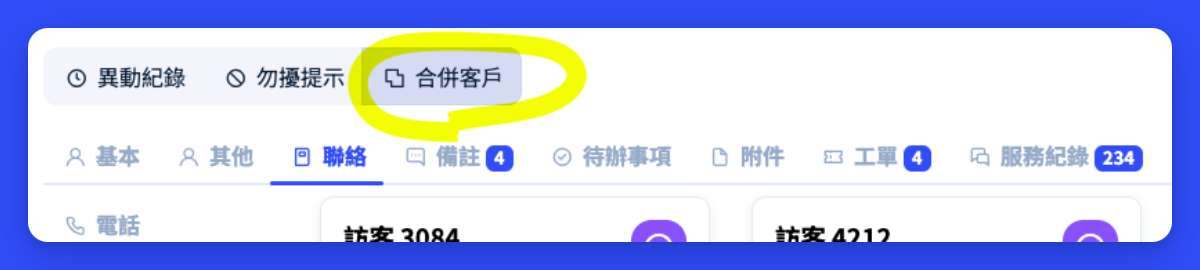
When you need to merge duplicate customer records, simply go to the specific single customer record page and click the "Customer Merge" button. This action will trigger the merge interface, providing an intuitive environment to search for and select the customer records to be merged.
In the merge interface, you can use various search criteria such as "name", "ID number", "phone number", or "member number" to quickly locate relevant customer records. After finding the target customer, you will have the opportunity to review and decide whether to add them to the processing list for merging.

If you need to merge customer records, please follow the steps below:
Find customer: Use the search function to find the customer to be merged.
Add to merge list: After selecting a customer, click the "Add" button to add them to the merge list.
Adjust merge order: In the merge list, adjust the customer order as needed.
Execute merge: After confirming everything is correct, click the "Merge" button to complete the operation.
Last updated