> For the complete documentation index, see [llms.txt](https://en.help.firstline.cc/llms.txt). Markdown versions of documentation pages are available by appending `.md` to page URLs; this page is available as [Markdown](https://en.help.firstline.cc/feature/crm/call-log.md).
# Call records
Call records can be used to query the handling information, recordings, AI transcripts, and related service records of each call, and support multiple filtering conditions and batch operations to help track phone workflows and follow-up service status.
## Overview
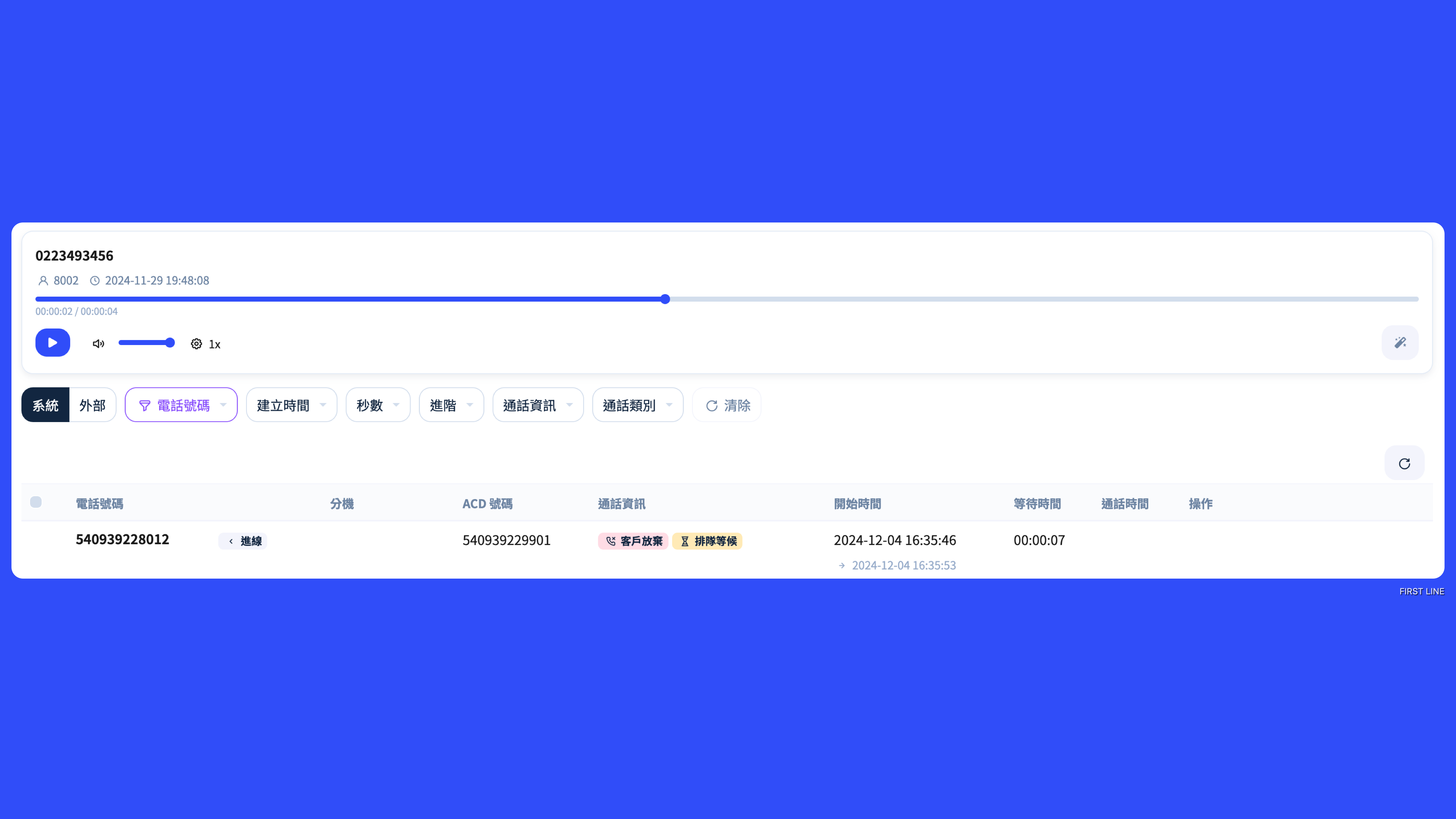
The "Call Records" page is used to view record-by-record call handling data in FIRST LINE. In addition to playing and downloading recordings, you can also view the phone number, call type, extension and agent, ACD number, call information, start and end times, wait time, call duration, and the corresponding service record.
If you need a quick understanding of how a call was routed, whether anyone missed it, and who handled it in the end, Call Records is more suitable than simply viewing the recording. If you need to perform large-scale statistics and cross-analysis of call data, you can use it together with the "Call Records" and "Call Hub" reports.
{% hint style="info" %}
In Call Records, "one record" does not necessarily equal "one actual incoming call." When a call is rerouted, transferred, or otherwise processed, the same call may generate multiple records.
{% endhint %}
## What can you do with Call Records?
Common uses of Call Records include:
* Look up historical calls for a specific customer or phone number.
* Confirm which agent or extension handled the call.
* Review the call type and call information to determine whether there was a reroute, missed call, or other special situation.
* Play and download available call recordings.
* Use AI to convert the recording into a transcript for quick reading of the call content.
* Open the linked service record to review the subsequent customer service handling details.
* Create a service record for an ACD call that does not yet have one.
## How do you filter Call Records?
Call Records provides multiple filtering methods to help you quickly narrow down a large number of records.
| Filter criteria | What it is suitable for finding |
| ---------------- | ------------------------------------------------------------------------------------------------ |
| Data source | Distinguish between different call data sources. |
| Phone number | Find records related to a specific customer's phone number, extension, or ACD number. |
| Creation date | Find calls within a specified date range. |
| Recording length | Find recordings within a specific call duration range. |
| Advanced search | Further narrow the scope by conditions such as agent, customer, and channel classification. |
| Call information | Find cases such as customer abandonment, rerouting, agent rejection, and timeout with no answer. |
| Call type | Query by inbound, outbound, internal, transfer, or other call types. |
{% hint style="info" %}
If you are tracing "why a certain call was not answered," it is recommended to first narrow the scope using the phone number and date, then interpret it together with the "Call Information," "Extension/Agent," and time fields.
{% endhint %}
## How do you interpret a call?
The same actual phone call may generate multiple processing records in the system, so do not judge the actual number of incoming calls only by the number of list entries.
For example, after a customer calls in:
1. The system first routes the call to Agent A.
2. Agent A does not answer or times out without answering.
3. The system reroutes the same call to Agent B.
4. Agent B answers successfully and completes the call.
In Call Records, this process may show multiple records. At this point, it is recommended to interpret it together with the following fields:
| Field | Interpretation method |
| ----------------- | ------------------------------------------------------------------------------------------------------------------------ |
| Phone number | Confirm whether it is the same customer or the same call source. |
| Call type | Determine whether it is inbound, outbound, internal, transfer, or another type. |
| Extension / Agent | See which extension and agent each processing stage was assigned to. |
| ACD number | Confirm the ACD number used for the customer's inbound call or service. |
| Call information | Determine whether there was rerouting, customer abandonment, agent rejection, timeout with no answer, or similar status. |
| Start / End time | Link the call handling process in chronological order. |
| Wait time | See how long the customer or agent waited before the call was connected. |
| Call duration | Confirm the length of the call after it was actually connected. |
{% hint style="warning" %}
After the same call is rerouted, multiple records may appear. These records represent different stages in the call handling process and do not mean that multiple customers called separately.
{% endhint %}
## Single-item actions
Depending on the call record and recording status, each record may provide the following actions:
### Play recording
If the call has a playable recording, you can play it directly in FIRST LINE.
Whether the playback function is shown does not depend only on the call duration; the system also determines whether the recording is actually available based on the recording result, call type, and your access permissions.
### AI transcript
For calls with available recordings, you can use **AI transcript** this feature to convert the call recording into text through AI, making it easy to quickly read, search, and review the call content.
AI transcripts are suitable for:
* Quickly reading the conversation content when it is inconvenient to play the recording right away.
* Reviewing the customer's requests, issues, or key information.
* Helping supervisors quickly find the content that needs attention when reviewing service quality.
* Organizing service records or internal follow-up information afterward.
{% hint style="info" %}
AI transcripts are automatically generated by AI based on the recording. The actual result may be affected by speech clarity, background noise, accents, multiple people speaking at once, or specialized terms. When a formal judgment is needed, it is recommended to verify it together with the original recording.
{% endhint %}
### Add to playlist
Add frequently used recordings or recordings that need later review to a playlist so they can be played centrally without repeated searching.
### Download recording
Download available recordings to your local device for retention or further use according to your company's internal process.
### Open service record
If a service record has already been created for the call, the corresponding service record number will be displayed below the phone number. Clicking it will open that service record directly so you can view follow-up handling details such as the customer, responsible agent, service result, and notes.
### Create service record
If an ACD call does not yet have a service record, some records will provide the "Create service record" action.
This feature is suitable for:
* Cases where a service record was not successfully created at the time of the call, but still needs to be added later.
* Cases where an existing call needs to be officially linked with subsequent customer service handling.
* When reviewing call records, administrators find that there was a call but no corresponding service record.
When creating one, you need to specify the responsible agent. After completion, you can open the corresponding service record from Call Records.
## Batch operations
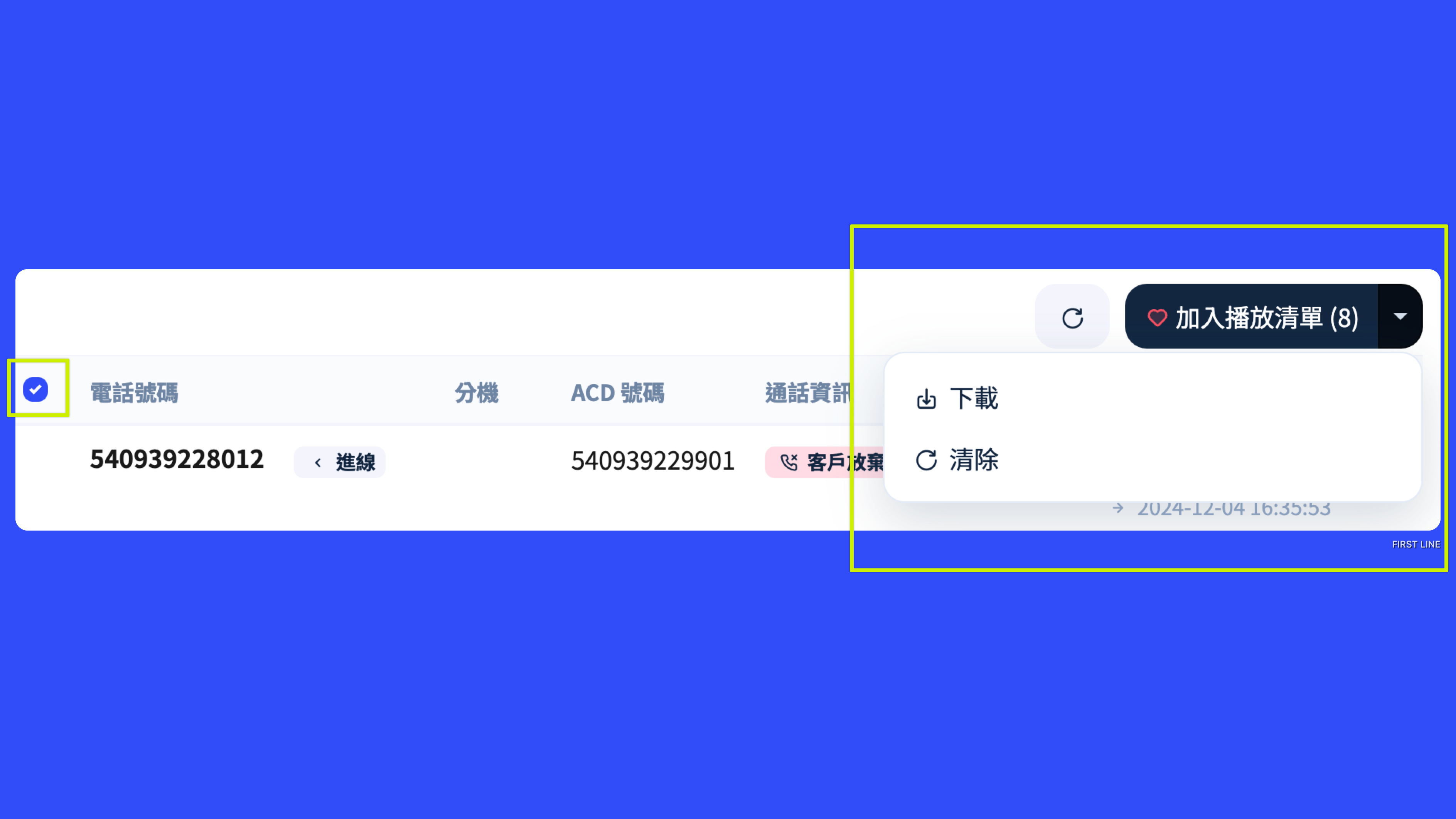
Call records with available recordings can be selected multiple times for batch processing.
| Function | Description |
| --------------- | --------------------------------------------------------------------------------------------------------------------- |
| Batch download | Download multiple recordings to your local device after organizing them. Up to 100 records can be selected at a time. |
| Add to playlist | Add multiple recordings to a playlist at once. Up to 100 records can be selected at a time. |
Batch downloading requires organizing multiple audio files first. The more records there are, and the longer each recording is, the longer the preparation time may take.
## Recording and AI transcript notes
Not every call record will have a playable recording. For example, if the call was never actually connected, the recording was not successfully generated, a certain call type does not support recording, or the current account does not have playback permission, the play or download action may not be shown.
Likewise, AI transcripts require recording content that can be processed in order to be generated. If the call has no available recording, AI transcripts cannot be used.
### Recording retention period
The recording retention period uniformly provided externally by FIRST LINE is **up to two years**, giving businesses a clear data retention baseline and allowing them to query and download recordings that need to be retained within the retention period.
The system has not yet started automatically deleting existing recordings according to the two-year period, so at this stage you may still be able to query historical recordings older than two years that have been used up to now. However, this does not mean that recordings are retained permanently. If your business has audit, compliance, or internal long-term retention requirements, it is still recommended to proactively download important recordings within the two-year retention period and store them separately according to your company's policy.
{% hint style="info" %}
If you can still query historical recordings older than two years, you may continue to play or download them. Once the two-year retention period is formally enforced in the future, recordings older than the retention period may no longer be available for query. Therefore, it is not recommended to use FIRST LINE Call Records as permanent backup storage for recordings.
{% endhint %}