๐Ÿ”ตFancy points

What are Fancy points

Fancy points are a virtual commodity purchasable on the FIRST LINE platform that allow users to access advanced features in the system. These features include writing assistance tools such as AI writing and translation, as well as other new features that may be introduced in the future. By using Fancy points, users can greatly improve work efficiency while enjoying continuously updated technical support and service expansions. Whether enhancing writing quality, performing language translation, or exploring the latest features, Fancy points provide users with greater flexibility and convenience, making every usage experience full of possibilities.

About points purchasing

Fancy points pricing varies by region. For example, in Taiwan, one point equals one New Taiwan Dollar; in Hong Kong and other regions, local pricing applies. Additionally, Fancy offers periodic promotions, especially for bulk purchases by enterprise customersโ€”orders of 80,000 points or more in a single transaction can enjoy lower discounted prices.

How to use

When you use a feature on the FIRST LINE platform that requires Fancy points, the system will automatically deduct the corresponding amount from your remaining points. This process is designed to simplify operations so you don't have to manage point usage manually, allowing you to focus on your work and creation.

If your Fancy points are insufficient to pay for a feature's use, the system will promptly notify you of the shortage to ensure you are aware of your current point status.

Point usage rate table

The actual points required will be subject to the system display. If there are any adjustments to point usage in the future, we will notify all users in advance and in a timely manner through system announcements.

Features
Feature description
Use points
Limited-time offer

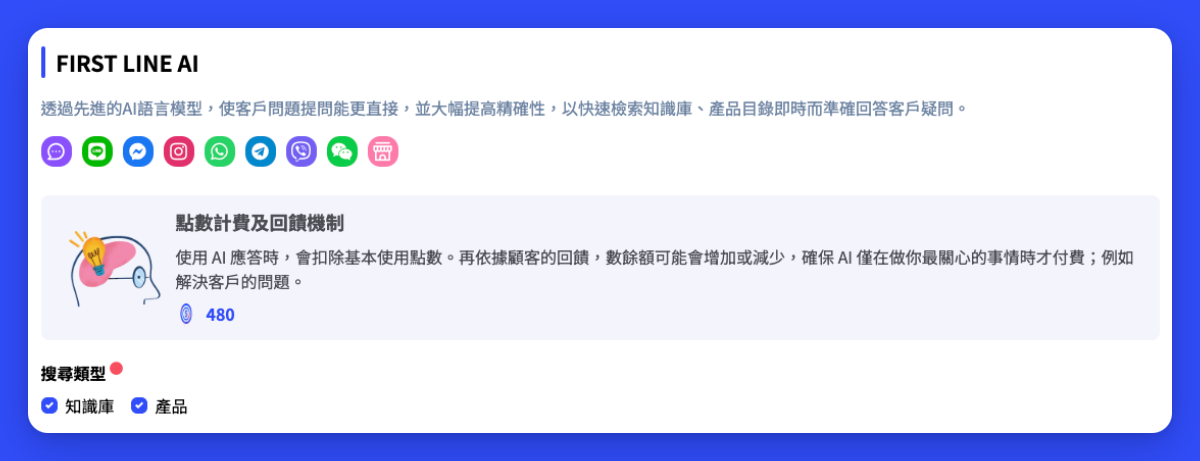
AI Response Agent

Search knowledge bases and product information via AI, and precisely adjust content to reply to customers, reducing customer service workload.

3 points / 1 time

AI Intent Agent

Use AI to analyze set conditions and determine whether customer messages match the configured intents. This helps businesses identify customer needs faster and more accurately, improve response efficiency, and enhance the overall customer service experience.

1 point / 1 time

AI Custom Agent

Create a dedicated AI text-processing agent through custom commands. Whether improving work efficiency or simplifying business processes, it helps you easily move toward automation.

1 point / 1 time

AI Image Agent

Use AI to extract and process information from a single image, supporting a maximum image size of 3MB.

3 points / 1 time

AI Writer | Tone, Writing, Translation

Use AI to translate and rewrite content, creatively rephrasing entire sentences; obtain more accurate wording through AI-suggested rewrites, correct grammar and punctuation errors, and rewrite clearer and more accurate sentences.

1 point / 1 time

To celebrate the new version, a limited-time free trial will be offered,All users can use it directly.

AI Transcription

Analyze call recordings with AI to automatically generate transcriptions, helping agents and managers quickly grasp call content, improving response efficiency and service quality.

2 points / 1 minute

AI Insights

Generate conversation summaries, detect customer emotions, and identify potential intents. If the source is a phone call, it will first automatically generate a transcript and then perform analysis. You can invoke it during a conversation or trigger it via automation after the service ends.

3 points / 1 time

To celebrate the new version, a limited-time free trial will be offered,All users can use it directly.

Usage records and payment records

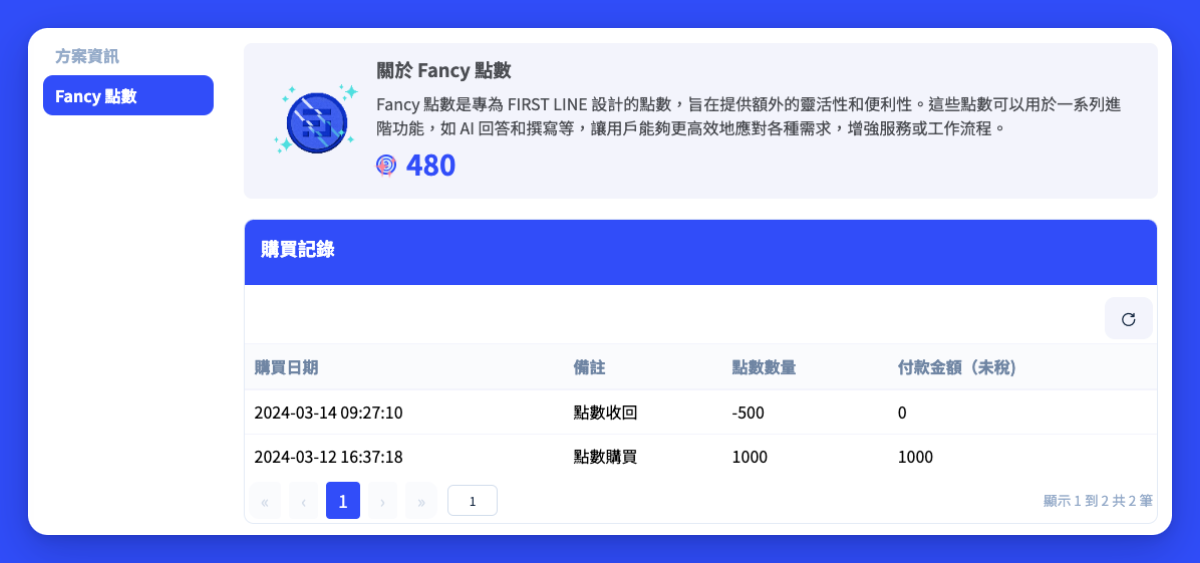
Fancy points records will log increases or decreases in your Fancy points balance. Purchases, redemptions, or Fancy points obtained from other sources will be recorded as added activities.

To view your recent full record, you can access the related records through "Fancy Points" in the "Billing Overview".

Set agent quotas

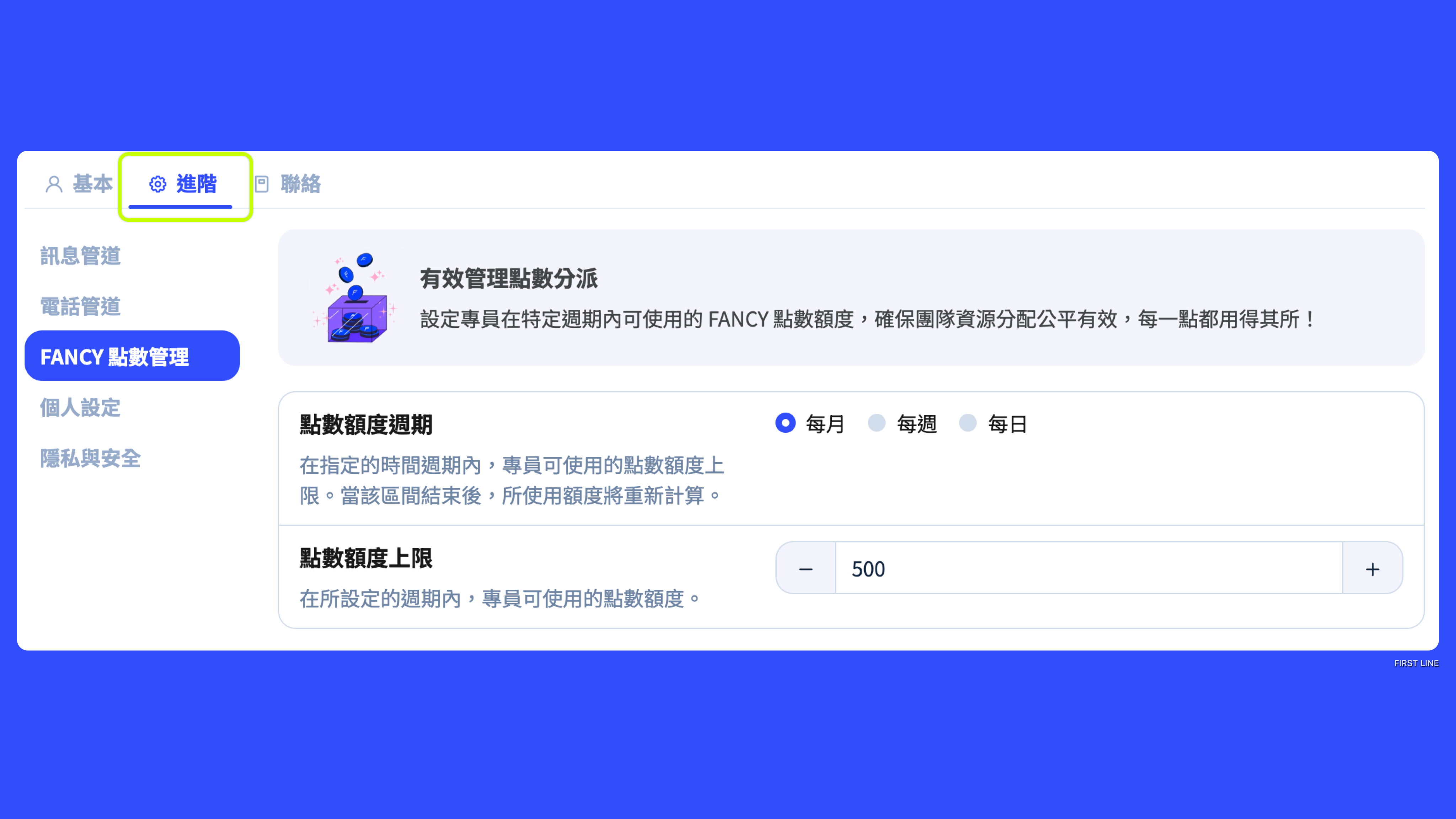
You can set periodic FANCY point usage limitsfor specific agents, such as a "maximum of 100 points per month" restriction. Set up as follows:

Go to "Staff Management" page โ†’ click the specified agent โ†’ select "Advanced" tab โ†’ click "FANCY Points Management" category to configure.

Configurable items

  1. Points quota cycle The frequency at which the designated agent's points quota resets; when the cycle ends, the used quota will automatically reset to zero and be recalculated. Options: daily, weekly, monthly

  2. Points quota limit The maximum FANCY points that the agent can use within the set cycle.

Agent inquiry method

Each agent can view the total points available to their account and their own used points from "Profile" in the top right of the navigation bar.


Last updated