> For the complete documentation index, see [llms.txt](https://en.help.firstline.cc/llms.txt). Markdown versions of documentation pages are available by appending `.md` to page URLs; this page is available as [Markdown](https://en.help.firstline.cc/master/change-log/archive/2025.md).
# 2025
## 3.00.00.01
To thank businesses for their continued use of AI features, we have introduced multiple AI enhancements in this quarter's major release based on accumulated feedback and collaboration experience, combined with brand-new automation designs so you can create smoother, seamless conversation experiences. For example, after a conversation ends, contacts can be automatically imported into designated bot flows, and satisfaction surveys or follow-up interaction scenarios can be designed as needed.
**This update provides more diverse application scenarios, more reliable data referencing methods, and more powerful no-code tools, allowing companies to design flows on their own even without an IT team; at the same time, you can train and build custom applications and flows without investing additional high implementation costs.**
#### 🤖 Brand-new AI bot flow settings
1. AI custom agents now support**custom output formats**, allowing you to specify text or numeric formats as needed and save the results into variables.\
If you need to use variable data, reference it according to the properties you set, for example:`{{ response.name }}`.
2. AI image agents also now support**custom output formats**, which enables you to build more complete and diverse scenario applications, such as invoice recognition, business card information extraction, product image recognition, etc., greatly enhancing the automation capability of subsequent processes.
3. AI custom agents**now support email channels**, which can analyze received content and execute corresponding actions according to predefined logic, allowing you to create more diverse, automatable handling scenarios within email exchanges.
4. Webhook calls can now save execution results to variables for subsequent exception handling or other applications. On success it returns `1`, and on failure it returns `0`.
5. The AI's ability to receive and understand context has significantly improved, making replies more accurate and practical, and better able to fully grasp the customer's true intent and needs.
6. Added "**Pre-fill service record**" beta feature. You can obtain the required information within the flow and pre-fill the service record; when an agent takes over and creates the service, the system will automatically populate these data, greatly reducing manual entry time and improving overall processing efficiency.
{% hint style="success" %}
#### **🤖 New AI Agent bot templates launched**
We are simultaneously releasing brand-new bot templates that progressively demonstrate each AI Agent combination method and new settings, so you can learn how to create smoother conversation flows. You can apply a template directly and then adjust and extend it as needed.
{% endhint %}
#### 🤖 AI Insights adds "service reason" analysis and automated application
In the service record's **AI Insights** we now add possible "service reason" analysis items.\
The AI will automatically select items that match the enterprise's built-in service reasons based on the conversation content for agents to manually choose, shortening decision time and improving operational efficiency.\
Additionally, these can be combined with automation flows for automatic application to further reduce manual workload.
#### 📊 **Dashboard AI information**
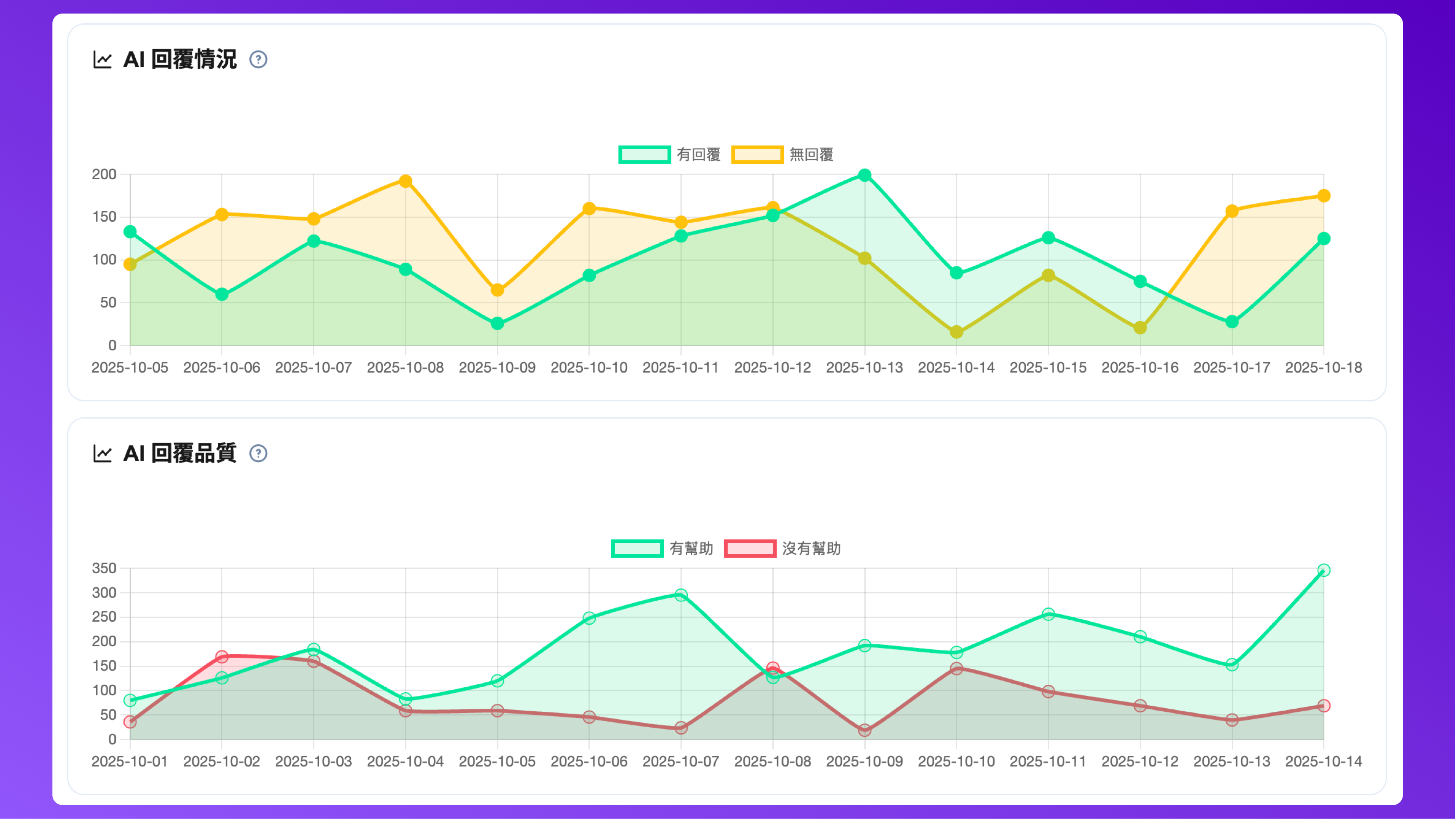
**The dashboard adds an "AI" category**and expands multiple analysis details:
1. **AI conversation situation:**Used to analyze **the AI agent's participation and resolution effectiveness in conversations**, to measure its coverage and actual solving capability, helping determine whether AI truly reduces the burden on human agents.
2. **AI reply status:**Shows whether the AI could find an answer, used to observe whether the AI knowledge base is complete.
3. **AI reply quality:**Used to observe the AI's reply performance, evaluating **accuracy and usefulness**, and whether it meets customer expectations and actual needs.
Through the dashboard's **trend charts and trend analysis**, you can visually observe changes in AI reply effectiveness, evaluate the completeness of knowledge content and trends in AI understanding quality improvement.
***
#### ⚡ Automation conversation upgrade: brand-new "when flow ends" event and "go to conversation script" action
Automation for "conversations" has been upgraded with a new "when flow ends" event that can trigger automatically after the entire conversation flow completes, for example to start follow-up actions after a satisfaction survey ends.\
In addition, a new action "go to conversation script" has been added, allowing you to design more extended interactions after a conversation ends, such as adding extra questions, recommending products, or importing new flows to create a more complete and continuous conversation experience.
#### 🔗 Tracking links × LIFF: build bespoke customer journeys
Tracking links now support integration with LIFF. When a customer opens the URL and completes authorization, the system will automatically direct them to a specified chatbot flow.\
You can create bespoke customer journeys based on different tracking links, which is especially suitable for on-site event registration guidance, marketing flow design, and other scenarios to make the overall interaction experience smoother.
***
#### 🗂️ New custom field "hierarchical options": more flexible data management
We launched a new custom field type "hierarchical options", allowing you to establish related data items according to hierarchical relationships, making storing and querying structured data more intuitive and easier.\
With this type, you can create more diverse storage scenarios and usage methods, such as setting composite classifications, regional selections, product attribute hierarchies, and other multi-level data.
#### 📋 Service records add "event history" to strengthen collaboration and transparency
Service records now include an "event history" feature that provides more complete service event logs, letting you clearly see who completed the service, whether reassignment occurred, and other key information to improve process transparency and strengthen team collaboration efficiency.
#### 🚫 **Phone blocklist**
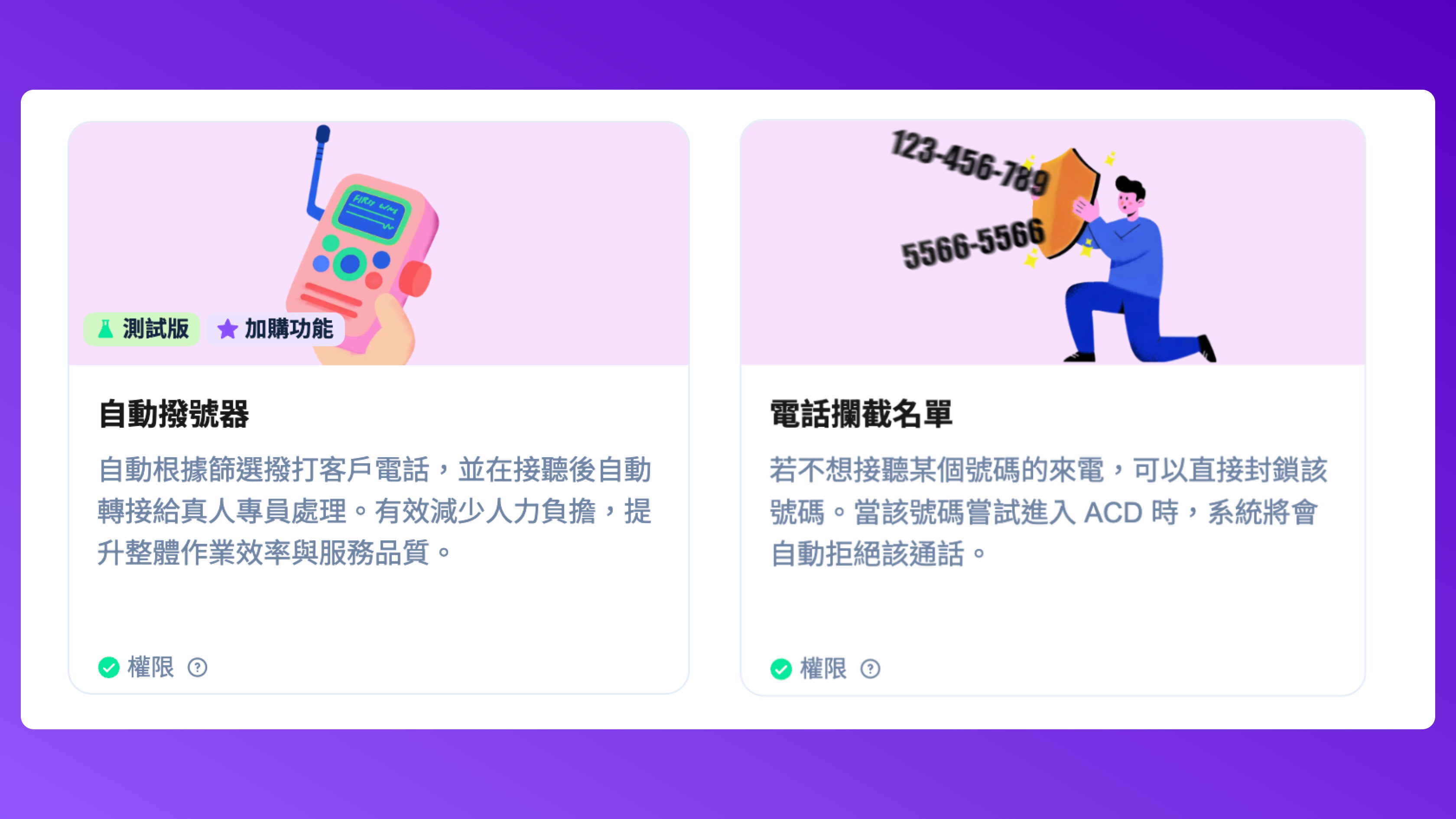
You can now set specific numbers directly in the system; when an incoming call matches the blocklist, the call will be automatically rejected after entering ACD.
***
#### 💬 **Conversation queue**supports**batch operations**
In some scenarios, you may need to process multiple conversations at once. The new feature allows you to perform the following operations for **conversations that are still in chatbot state** :
1. **Bulk transfer into human agent queue**, so humans can take over subsequent service.
2. **Directly end conversations and mark them as completed**, to quickly clean the queue and keep the system tidy.
This feature can effectively save operation time and improve the customer support team's handling efficiency.
***
#### 💪🏼 New features and improvements
1. When creating or editing templates, you can now preview the applied results of **Markdown** and other effects in real time, making it easier to confirm whether the format and presentation meet your needs.
2. The "reply email" operation in "conversation scripts" **now supports inputting** HTML styles **, allowing you to directly apply layout and formatting to improve email typography and readability.**To accommodate continued expansion of future items, we redesigned the list interfaces for custom fields, automation, and Webhook scripts. The new interface has clearer sorting logic and display structure, and adds corresponding explanations to make operation and maintenance more intuitive and explicit.
3. The settings interface for "service reasons" and "service records" has been changed from the original
4. separate page navigation**to**a modal window format.\
This avoids having to re-run actions like "load more" after each data modification, reducing repeated loading and operation time and improving overall usage efficiency.
5. The selection interface for "service outcomes" in the service desk has been restyled to be consistent with "service reasons." This lowers the learning curve, provides a more consistent operational experience and layout, and improves overall interface consistency.
6. Work orders now add "priority" as a filter condition so agents can more quickly view and manage work orders based on urgency.
7. Strengthened the configuration validation mechanism for LINE official accounts to prevent the originally connected Account A from being accidentally associated with Account B due to token replacement or other settings, which could cause Account A's friends and related data to malfunction.
8. Two new security settings have been added to system settings: **high-security password composition** and **password reuse restriction**. Enterprises can choose to enable them according to their own security needs to strengthen overall account security.
9. A new "auto-quote previous email" feature has been added to email channel system settings. When enabled, replying to an email will automatically bring the previous email content into the input box; agents can still edit or adjust before sending, improving reply efficiency and conversation continuity.
10. We plan to open some APIs that were previously limited to partners to general plan users so more companies can build more advanced automation flows. We will also launch a new **Developer Kit** advanced paid item to help large enterprises build fully automated flows and special complex scenarios, improving overall operational flexibility and scalability.
11. Fixed multiple potential issues, including outbound contact button unresponsiveness and the possibility of duplicate creation of custom field categories, improving overall stability and user experience.
{% hint style="warning" %}
**Real-time chat historical contact cleanup notice**
We plan to target **real-time chat contacts created before 2024 that have had no message exchanges for over a year** for**cleanup**.
Due to browser characteristics, related cookie and localStorage identification information has long exceeded retention periods. These real-time chat contacts can no longer be contacted through the original channel, and their conversation records have lost practical use, so they will be removed together.
{% endhint %}
## 2.93.05.24
1. For the new version of Outlook that forces the use of special encodings, we have added handling mechanisms, including compatibility adjustments for the less-used or even considered non-mainstream BIG5 encoding. However, please use **UTF-8** as the primary encoding format to ensure consistent and reliable display across mainstream browsers and different platforms.
## 2.93.05.03(10/02)
1. If **SSO**is forcibly enabled, then in some scenarios that require password resets (for example **first login** ), password reset prompts will no longer be shown to agents.
2. Fixed a caching display issue that occurred after pressing "Save" when selecting **Azure AD user binding** while adding a new employee.
3. Adjusted that when adding a new employee, their **default language** will be automatically set based on the current operator's own **system language** .
4. Fixed an anomaly where keyword filtering could not display correctly during initial setup.
5. Custom field style adjustment: changed boolean type custom fields from button style back to native radio style to avoid difficulty recognizing selected items in read-only/locked states, and to improve interface consistency and accessibility.
6. Fixed customer import anomaly: corrected an issue where custom field data was not properly written when adding customers under multiple conditions,
## 2.93.05.03(09/26)
1. messages now support **Markdown escape syntax**. You can prevent characters from being parsed as formatting by adding a backslash (\\) before the Markdown character. **For example:**\\\*text\\\*
→ will display as \*text\* (instead of italic)
* `\**text\**` → will display as \*\*text\*\* (instead of bold)
* `This method can prevent accidental formatting triggers and flexibly present characters for creating more complex message content.` When an administrator performs a listen operation, the system will automatically lock the listen button to prevent re-execution, thereby avoiding conflicts that multiple listens might cause.
The listen status will be displayed independently from the original call status to ensure that when an agent is on a secondary call, administrative listening does not cause transfer buttons to disappear or other operational anomalies.
2. Added a check so that when a secondary call is in progress, hold operations cannot be executed to avoid conflicts under multiple states.
3. Fixed an issue where
4. recordings from special external sources in phone logs
## 2.93.05.02 (09/22)
* could not play properly. **Buttons in the script bot simulator** were unclickable.
* could not play properly. **The original** Growth
## 2.93.05.02 (09/16)
{% hint style="warning" %}
plan will be renamed to **Mini** to make it easier to distinguish and understand when adding other plans in the future. The subscription benefits and available features of the original **plan remain unchanged.**Fixed an issue in scripts where **Mini** "variable comparison"
{% endhint %}
1. had data update timing differences in some scenarios, such as when using **Webhook callback** methods, but the decision node executed earlier, causing incorrect judgment results. **Enhanced timeout prompt display for** employee API keys
2. so users can more clearly understand the status. **Fixed an issue in bot flows where** "determine incoming channel"
3. could not be judged correctly. The main cause of this anomaly was related to security mechanisms; to prevent malicious actors from injecting disallowed strings via developer tools, the system has been adjusted and fixed. **Fixed a display issue with** "periodic text-to-agent transfer count"
4. on the dashboard. **Fixed an issue where the download link belonging to file-type messages could not be opened.** Adjusted the
5. customer dropdown
6. in some filter conditions **.** Adjusted the
7. Adjusted the dashboard **"Conversation Queue"**, fixing the issue where after viewing historical conversations, viewing the same record again did not display the latest updated data.
## 2.93.05 (Q3 Major Update)
This major release focuses on **strengthening AI application capabilities**and adds multiple intelligent features to further enhance agents' assistance efficiency and decision support during processing.
Specifically addressing the practical needs of frontline elite agents, we have also launched multiple designs to optimize response speed and operational flows,**greatly shortening processing time and improving task completion efficiency**. This upgrade is not just about adding features but fundamentally**amplifying agents' business value and professional capabilities**to help teams advance on both service quality and operational efficiency.
#### 🧠 **Added "AI Insights" feature**
Service records now include an **"AI Insights"** feature that can quickly extract from conversation information:
* **Emotion**: identifies the customer's emotional state during the conversation
* **Intent**: determines the customer's needs and purpose
* **Summary**: automatically condenses conversation content to help quickly grasp key points
This feature helps staff more efficiently understand service records and improve response speed and accuracy. The feature will be **temporarily free to use**, and we welcome you to try it and provide feedback. You can also combine it with automation flows so that when **a service record is completed**, AI Insights can be automatically triggered to organize information.
#### 🖊️ Service desk adds test feature "AI Quick Reply"
The service desk has added a beta feature called **"AI Quick Reply"**. This feature automatically generates reply suggestions based on the content and context of a single message or a series of historical messages to help agents respond to customers quickly.
With AI Quick Reply, agents don't need to spend time composing every word and can easily provide appropriate replies, improving service efficiency and corporate consistency.
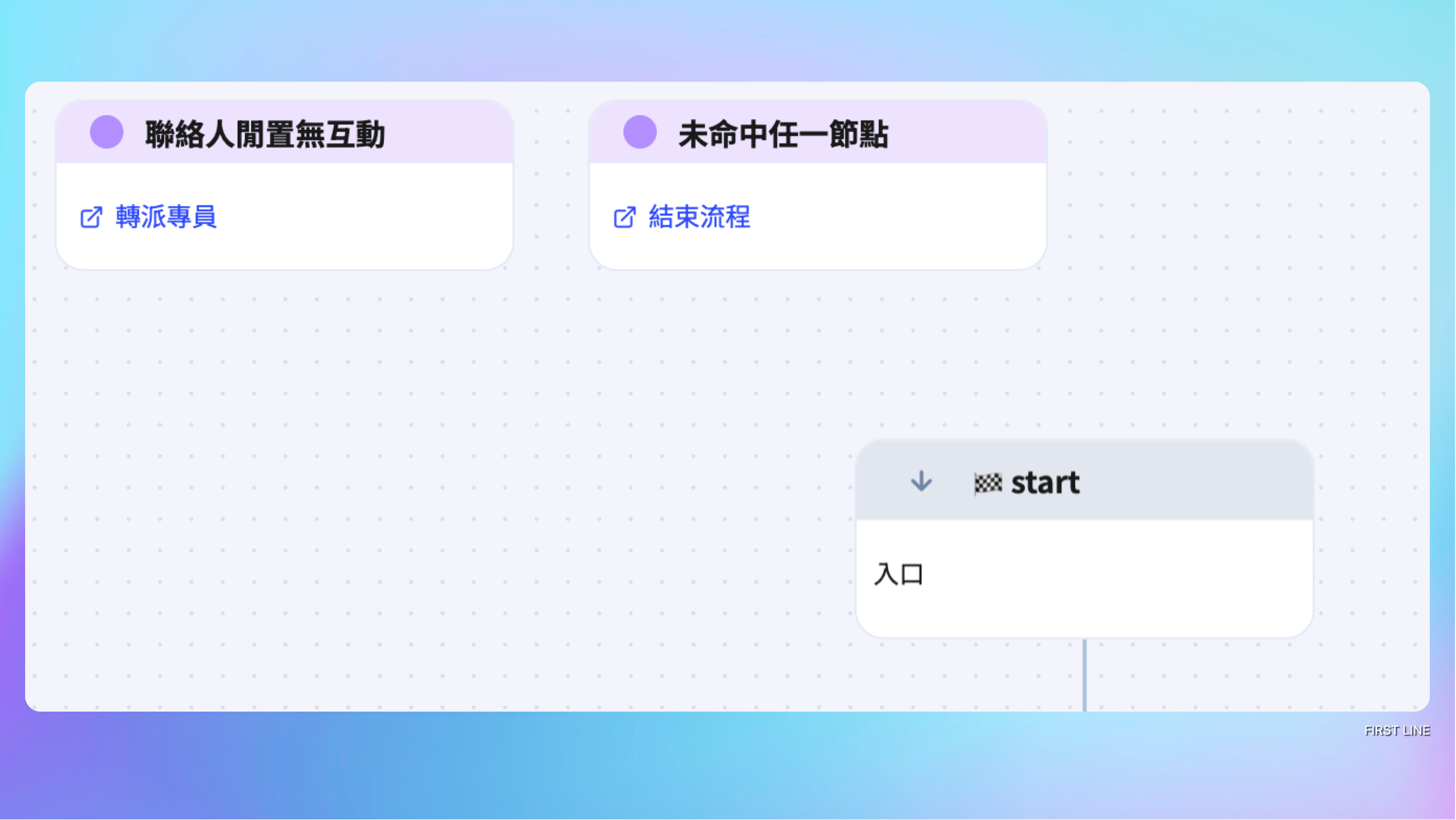
#### 🤖 Chatbot scripts now support "global nodes", "reply email", and "**AI image agent**" features!
1. Conversation scripts for chatbots now support adding **global nodes**to help reduce chaotic flow design and unnecessary complex loops, making script structures clearer and more maintainable. Currently two types of global nodes are provided:
* **Contact inactive with no interaction**: This node is automatically triggered when the contact does not reply or the conversation is interrupted within the specified time.
* **Did not hit any node**: This node's default action is automatically executed when, after the flow runs, none of the configured conditions are met.
\
After configuration, the global node will**apply to the entire script flow**, so there is no need to recreate it in every node, effectively improving script design efficiency and consistency.
2. Conversation script added **"Reply Email" node**, which can be used for the following scenarios for the email channel:
* Prioritize replying with canned email content, for example automatically replying “We have received your email, please wait for further processing.”
* Support replying to specified senders, making the email reply flow more flexible and efficient.
This feature can effectively shorten customer wait time and increase the automation level of email replies.
3. Chat script adds beta AI feature **"AI Image Agent"**. This feature can analyze messages sent by customers and convert the conversation into specified text results to help build more application scenarios.
#### 📞 Join forces with the elite sales team to reach new heights, multiple feature enhancements fully launched
This time we partnered again with the elite sales teams of our partner companies, demonstrating outstanding results during the performance peak. Coupled with multi-channel marketing strategies, we achieved impressive performance together. To continue supporting elite salespeople to quickly respond to business challenges, we are simultaneously launching multiple enhanced features to accelerate team effectiveness and continue to break performance limits.
1. **New options for automatic ready time to comprehensively improve call handling efficiency**\
In response to elite specialists' need for high-efficiency operations and to ensure every incoming call can be immediately connected to inbound sales, the system will add "**1 second**" and "**5 seconds**" two automatic ready time options. Users can adjust to shorter ready intervals according to actual situations to speed up inbound response and maximize sales opportunities.
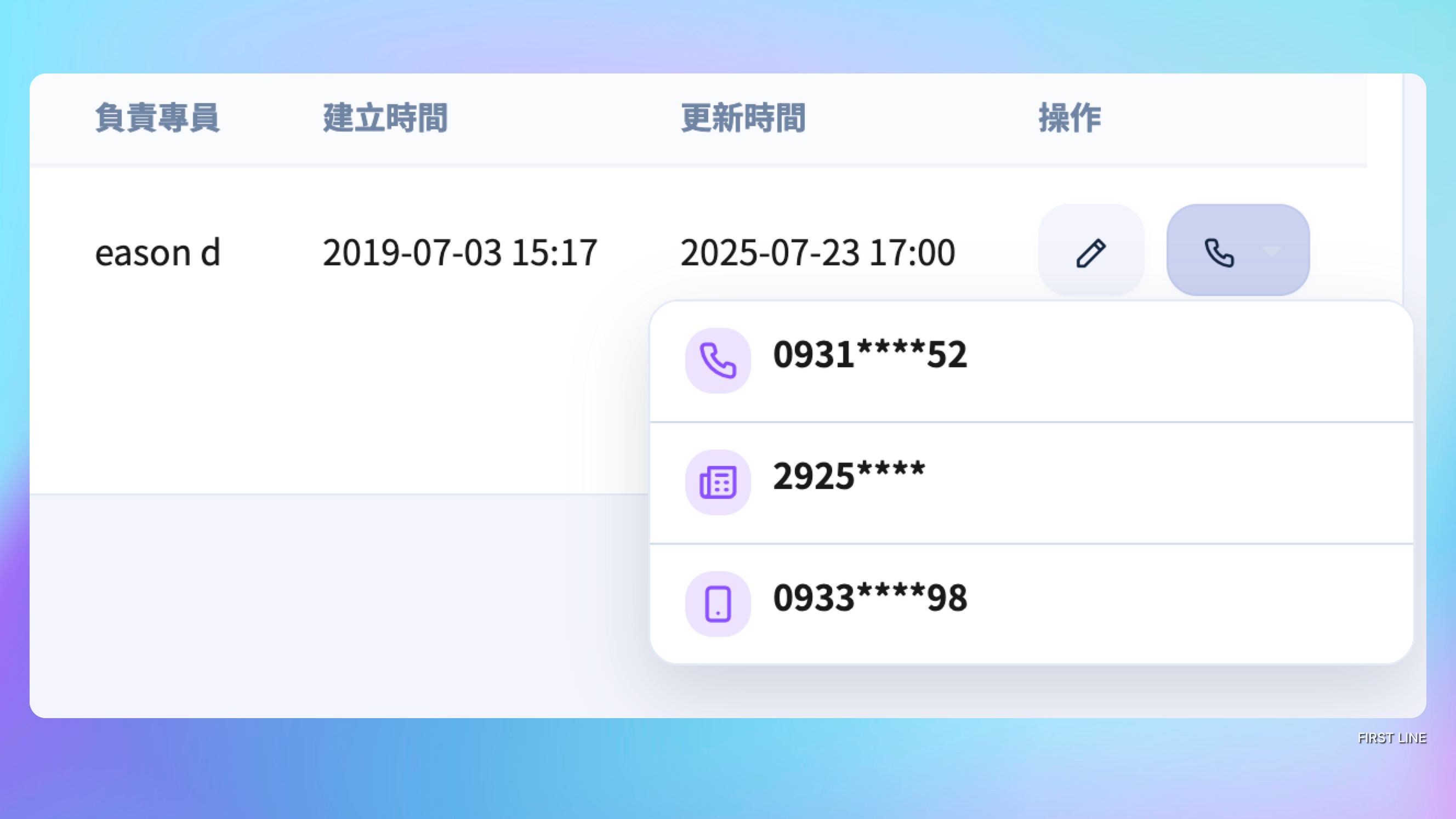
2. **Quick dial menu launched, outbound process further streamlined**\
A "Quick Dial" dropdown menu has been added to the customer list page to further simplify the overall outbound operation process. Only two actions are required to complete a call, greatly reducing tedious operations and helping elite specialists execute outbound tasks more efficiently, improving daily contact efficiency and response speed.
3. **Brand new paid feature "Auto Dialer" launched, improving contact efficiency and reducing manpower burden**\
Automatically initiates outbound calls and, after connection, automatically transfers to a live specialist for follow-up. It can effectively achieve the following goals: reduce repetitive manual operations, filter effective calls, avoid dead numbers and invalid connections, becoming the best assist for high-frequency contact teams.
4. **Brand new Dynamic Tab view mode launched to improve execution efficiency**\
The customer and ticket interfaces will introduce a brand new view mode.Custom fields originally located separately under "Others" and the "Contact" page will be consolidated into the "Basic" tab for centralized display, reducing page jumps and making important information clear at a glance. At the same time,the original tab buttons will still be retained; clicking them will automatically switch to the “Basic Info” page and scroll to the corresponding field position, maintaining continuity with existing operation habits. This effectively reduces mouse movement and click counts, speeds up data switching and viewing, and comprehensively improves operational efficiency and specialist user experience.
5. **Service result adds "Recent Options" quick action feature**\
The service desk now has a "5 most recently selected service results" feature to help specialists who handle similar cases continuously to directly select recently used items from the list, submit with one click and complete, significantly improving category switching efficiency and workflow smoothness.
6. **Customer list adds "Order" filter criteria**\
The customer list has added "Order" related filter criteria, supporting creation time, total amount, ordered products, etc., helping quickly and precisely find specific target customer groups and improving marketing and customer service operation efficiency.
#### 🔀 **Assignment logic and dynamic assignment strengthened**
1. **Assignment logic enhanced**\
To address more complex skills and assignment conditions for medium and large enterprise users, the assignment logic has been strengthened. The previous mechanism unconditionally allowed some conversations to enter the "assigning" state first, and then sequentially searched for suitable specialists. Now, the initial filtering will instead filter out “conversations that ready specialists can accept”,**thereby reducing the risk of assignment blockages caused by poorly designed skill assignment conditions or uneven staffing.**
2. **Dynamic assignment fairness improved**\
The compensation mechanism "dynamic assignment" for assignment blockages has been strengthened by adding a sorting mechanism based on specialists' cumulative assigned counts. The system will prioritize assigning to specialists with lower cumulative assignment counts to improve fairness and avoid overburdening a single specialist.
3. **Added "Conversation Queue Records" feature to fully grasp conversation dynamics**\
A standalone "Conversation Queue Records" item has been added to view current and historical conversation records across each message channel. Through this feature, you can quickly grasp each conversation's assignment status, processing progress and related information, greatly improving service transparency and team collaboration efficiency.
#### 💬 Markdown format supported for real-time chat messages
In **the real-time chat channel**, message sending supports some Markdown syntax to highlight text and improve message readability. Supported formats are as follows:
* **Bold text**:`**My Bold Text**`
* *Italic text*:`*Italic Text*`
* ~~Strikethrough text~~:`~~Strikethrough text~~`
* Heading 1:`# This is a h1 header`
* Heading 2:`## This is a h2 header`
* Heading 3:`### This is a h3 header`
* Call link:`[tel](+886-912-345-678)`
* Send mail link:`[mail](user@example.com)`
{% hint style="warning" %}
Markdown syntax**is only applicable to real-time chat channels**. Other non-real-time communication platforms (for example LINE) do not support it; on those platforms it may not display correctly or may be ignored.
{% endhint %}
#### 💪🏼 New features and improvements
1. The email template selection interface has been redesigned, changing from the original dropdown to an interactive window display. The new interface can present more template information and reserves flexibility and space for future feature expansion, improving user experience and operational efficiency.
2. When replying to emails, recipient information from the original email's “attachment blind copy” will be automatically pre-filled by default.
3. Real-time chat extensions now have a separate management item. Compared to before, you can now, after creating an extension,**share the same extension module across multiple real-time chat channels**, without setting them one by one, greatly improving operational efficiency and consistency.
4. The phone dialing interface has undergone minor adjustments,**making the monitored state display clearer**, improving recognizability; button spacing adjustments make the overall interface more compact while increasing the tappable area.
5. Phone fail-safe design strengthened: when a secondary call operation (such as three-way conference, coaching mode, etc.) is already in progress, clicking the secondary call operation again will be prohibited to avoid interrupting the call.
6. The logic determining whether a call record can be played has been adjusted. Previously it was judged only based on **user permissions** and **call seconds** , but in certain situations this could lead to mistakenly assuming a recording exists. This update adds a more precise **recording determination mechanism**to avoid situations of “having seconds but actually no recording,” ensuring the displayed result matches the actual recording status.
7. Adjusted description text for some conversation script nodes,**making the semantics more aligned with contextual use,**and removing wording that may mislead users.
8. In response to the rollout of the **"Conversation Queue Records" feature** , the original dashboard conversation queue ordering will no longer automatically switch by status. Because this design was too implicit in the interface, causing confusion for many users and possibly resetting user-configured sorting, it has been adjusted to **be fixed to creation time ordering**to improve consistency and predictability.
9. The service record list will add a **"Status"** column, which currently includes the following statuses:**In progress, Completed,**This design also reserves expansion space for future derived enhancement features, making status management more flexible and extensible.
10. The robot script's **customer idle minimum minutes setting** has been lowered from the original **5 minutes** to **1 minute**. This adjustment allows users to create more flexible conversation flows.
11. Added support for **Instagram channel** **Story messages and Reel messages**.
12. Fixed the display and function of the phone contact buttons for employees and service records.
13. Adjusted the situation where, when a personal signature is designed as multiple segments, applying a template would require re-entering the content.
14. The dashboard script event tracking selection limit has been increased from **3** to **20**, and now supports selecting up to **31 days** of data range. At the same time, a **data download feature**has been added so you can more conveniently save and analyze event tracking data, improving subsequent review and application efficiency.
15. To comply with web accessibility standards and considerations for related future derived features, the trigger method for the derived feature menu originally provided for a single message (such as AI translation) will change from **mouse hover** to **click**, to improve consistency and usability.
***
## 2.82.10.6(08/07)
* **Navigation bar phone interface optimization**: After making a call, the entered phone number will be automatically cleared to avoid misdials or reduce operations.
* **Message template character count display correction**: Adjusted the displayed character limit to **500**to match actual rules, replacing the previously incorrect display of **2000**.
## 2.82.10.5(07/27)
* **Phone quick options**: Added support for search keywords that are non-numeric types, improving search flexibility and ease of use.
* **Ticket interface fix**: Fixed an issue where text blanks appeared in interface tabs after ticket creation.
## 2.82.10.4 (07/11)
1. **Fixed adjustments to verification rules for the WeChat platform that previously caused authorization and reply function anomalies.**
2. Fixed the date filter logic for "Team Transparency Records."
3. Fixed duplicate display issues when "Message Templates" load the next page of data.
4. Fixed an issue where switching graphic menus when setting them could not correctly select existing graphic menus.
5. Fixed an issue where the dashboard " **Service Source Statistics**" could not display statistical numbers.
6. Customer list adjustments: the "Recent Service Records" and "Next To-Do" columns will now display time to "HH:MM".
7. Adjusted an issue where manually creating service records could cause notes to not save due to version differences.
8. Fixed an issue where "Segmented Message Campaigns" could not select channels.
9. Fixed an issue where completed "Service Records" could not be edited.
**※ To ensure fixes take effect, please log out and log back in, or manually refresh the page to load the latest version.**
## 2.82.10 (Q2 Major Update)
**This quarter, we will launch multiple practical new features to create a more complete and smooth service experience!**
Among them are several **experimental features and AI applications**to help you build a more professional customer service team, optimize service processes, improve response efficiency, and make interactions with customers more timely and smooth.
***
#### ✨ **Brand new AI features arrive,**helping you achieve twice the result with half the effort!
We are launching multiple new AI features to help you write sentences, express ideas, and quickly complete various tasks. Whether it's customer service conversations, content production, or data organization, FIRST LINE AI can intervene in real time and provide precise assistance to greatly improve efficiency.
**Unlike some products on the market that integrate AI via third-party plugins and repackaging, FIRST LINE uses native deep integration, seamlessly combined with the system core functions, truly ready-to-use and intuitive. From operation to results, the overall experience is smoother and more natural, making it the best starting point for your team's AI adoption.**
For example, by simply adding a knowledge base article, AI can be immediately applied to response content, and customer service staff can simultaneously view and use it within the system. No AI training techniques are required throughout the process to easily achieve information integration and intelligent collaboration.
* **"AI Judgment Agent"** — **Understanding and judgment further improved**
"AI Judgment Agent" can more accurately grasp context and user intent. It can not only determine whether instructions meet conditions, but in specific situations can proactively produce judgment conclusions, greatly improving practicality and intelligent performance.
* **New feature launched** — **"Custom AI Agent" node**
Now you can freely create bespoke AI text applications according to actual needs! Through custom commands, whether improving work efficiency, simplifying business processes, or designing a unique marketing campaign, you can easily achieve it.
* **AI Answer Agent node — added feedback option settings**\
In the "AI Answer Agent" node, you can now decide whether to enable the "feedback option" and set related messages. In some channels, turning off feedback can also further save messaging costs.
* **AI model upgraded, better understands what you mean**
A more powerful AI model has**stronger comprehension and more accurate expression**, especially in applications like translation and transcription, better matching your intended meaning, reducing misunderstandings and errors, and greatly improving user experience and communication efficiency.
{% hint style="success" %}
#### 🎉 Limited-time free trial program
In response to the AI model upgrade, we will open some AI features (such as **AI writing**) for a limited-time free trial,**available directly to all paid and promotional users without additional application**.
. We sincerely invite you to provide valuable feedback during use to help us jointly build a more powerful and needs-aligned FIRST LINE AI, allowing the intelligent work experience to continuously evolve.
{% endhint %}
***
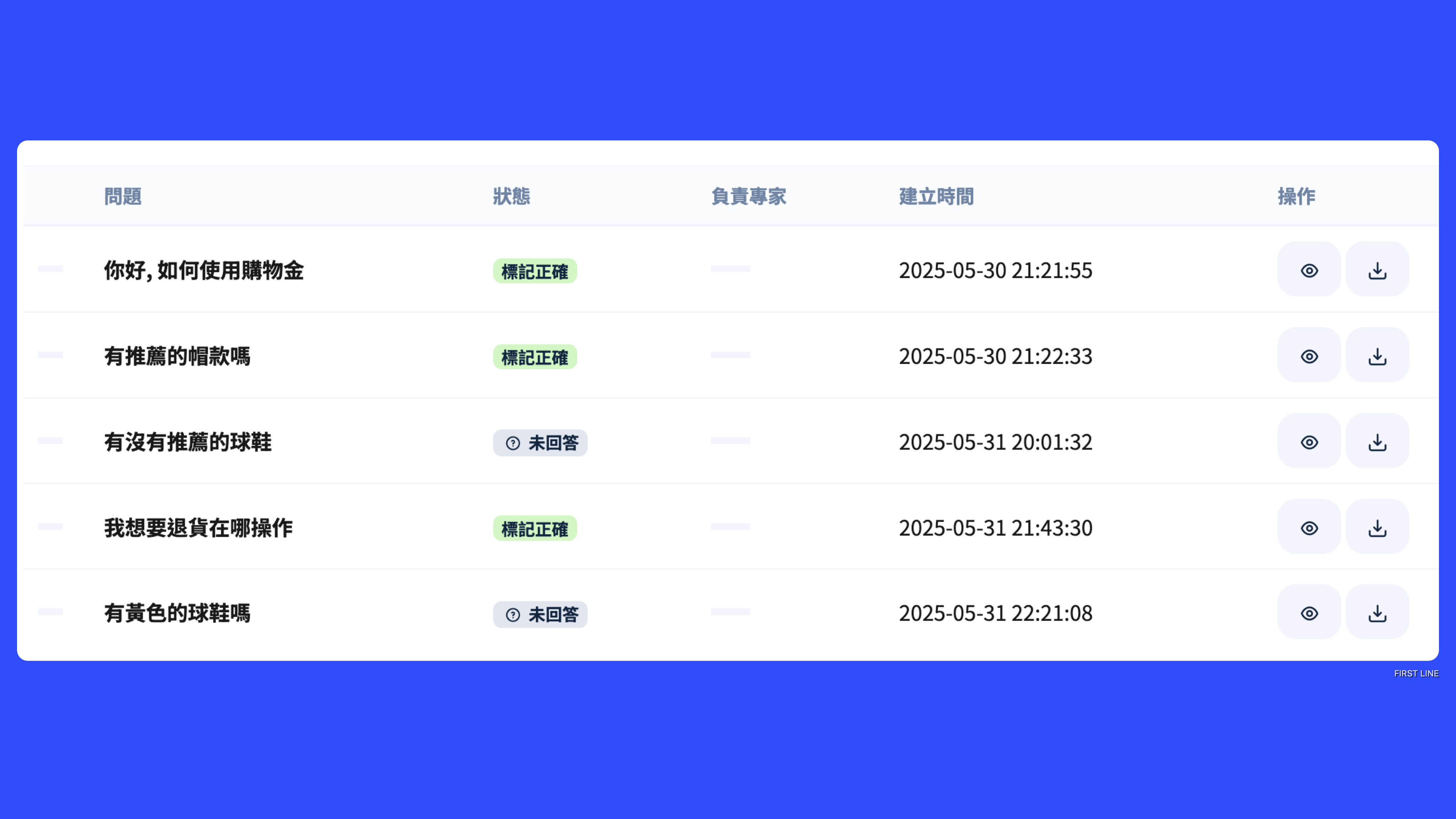
#### **🧠 New feature launched: AI Training Center**
Here you can view customer questions, suggested answers, and related reference sources.\
More importantly, you can tag and review this content to ensure the AI improves over time and provides more accurate, trustworthy, up-to-date knowledge. This not only improves response quality but also makes AI answers more aligned with real needs.
#### ✨ **Chatbot supports "Switch Graphic Menu" action node**
Chatbot flows now support adding a "**Switch Graphic Menu**" action node, allowing you to dynamically specify particular graphic menus based on conditions to provide more personalized interactive content for different users.
For example, based on **customer tags, event dates, etc.** you can specify different content to display, combine with marketing campaigns, and dynamically push different shopping menus to achieve**precise segmented marketing,**through this feature you can create a more flexible and highly interactive LINE marketing experience to increase user engagement and conversion rates.
#### ✨ **Tracking link feature upgrade: automatically create customer data**
Now the "tracking link" function has been further strengthened. When you set a **LIFF application** and **corresponding LINE official account**, after a customer clicks the link and agrees to authorize, the system will automatically perform the following actions according to the LINE official account settings:
* ✅ **Add corresponding customer data**
* 🏷️ **Automatically apply default tags**
This enhancement allows your marketing activities and actual interaction flows to be more tightly coupled when importing traffic, achieving more efficient automated operations.
***
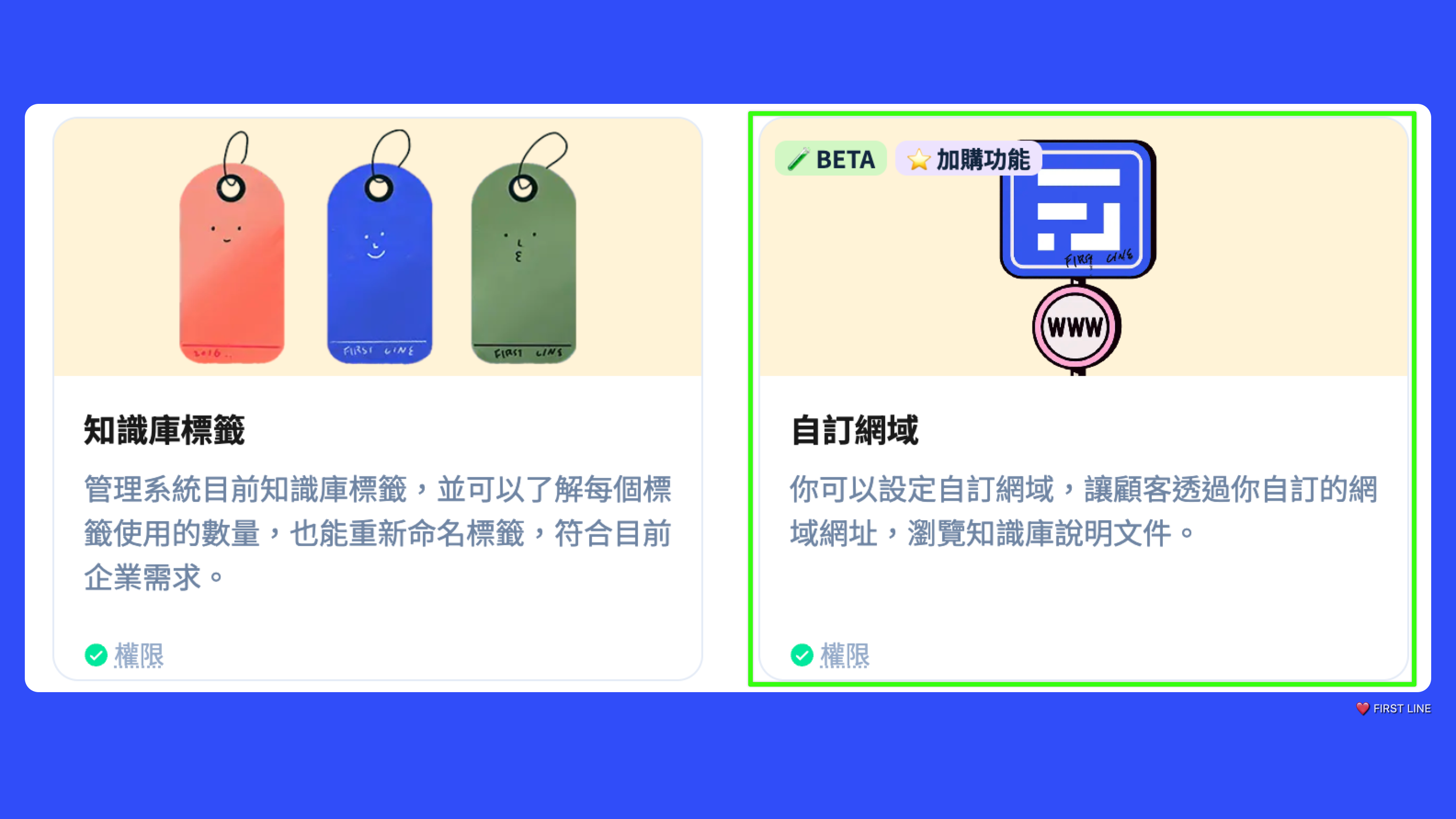
#### 🌐 Custom domain feature
This time for **Enterprise plan users and enterprise customers without on-premise deployment**Provide **custom domain feature**, allowing you to create dedicated URLs for the Help Center and knowledge base articles to strengthen brand consistency and user experience.
For example: the original default URL was `firstline.cc/help`you can customize it to `help.yourcompany.com/help`, creating a more recognizable dedicated entry point.
This feature is especially suitable for companies that want to enhance their professional brand image and integrate website styling.
{% hint style="warning" %}
📢 **Announcement: Help Center URL structure adjustment**
To support the launch of new features, we will redesign the Help Center URL structure to make it more systematic, readable, and aligned with content categorization logic.
**An example of the new URL structure after the adjustment is as follows:**
* Original URL:`/helpdesk` → **New URL:** `/help`
* Original URL:`/article/174` → **New URL:** `/help/article/174`
* Original URL:`/category/10/article` → **New URL:** `/help/category/10/article`
* Original URL:`/sub-category/2/article` → **New URL:** `/help/sub-category/2/article`
\
If you are currently using**the old URLs for embedded or redirect designs**(for example `embed` or `iframe` , or hyperlinks that integrate the Help Center into your official website), we recommend that you**update to the new URL structure as soon as possible**to ensure functionality is not affected.
※ From the time this announcement is sent, the old URLs will remain for one month, at which time**the new URL structure will be used exclusively**.
{% endhint %}
***
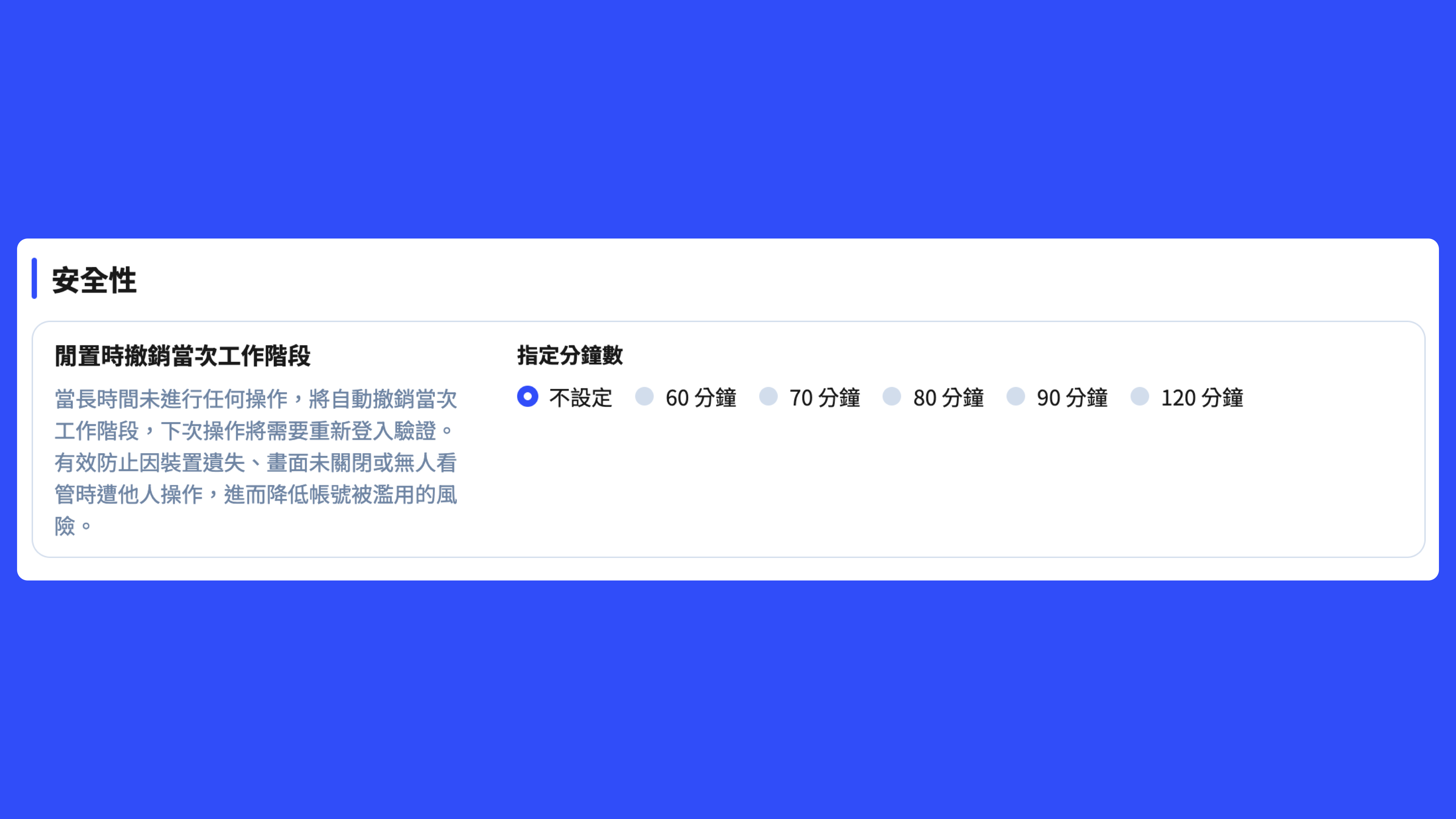
#### 🔒 **New security mechanism settings**
**To comply with the cybersecurity regulations of partnered government and public institutions, we have added multiple account security-related mechanisms**. These features will help improve account security and meet the information protection policy requirements of specific organizations.
However, please note that some of these configuration methods are no longer considered best practices in current information security practice. We recommend that enterprises enable related settings flexibly according to their actual needs, and, where appropriate, combine them with modern authentication mechanisms such as SSO (Single Sign-On) to achieve more comprehensive and up-to-date security protection.
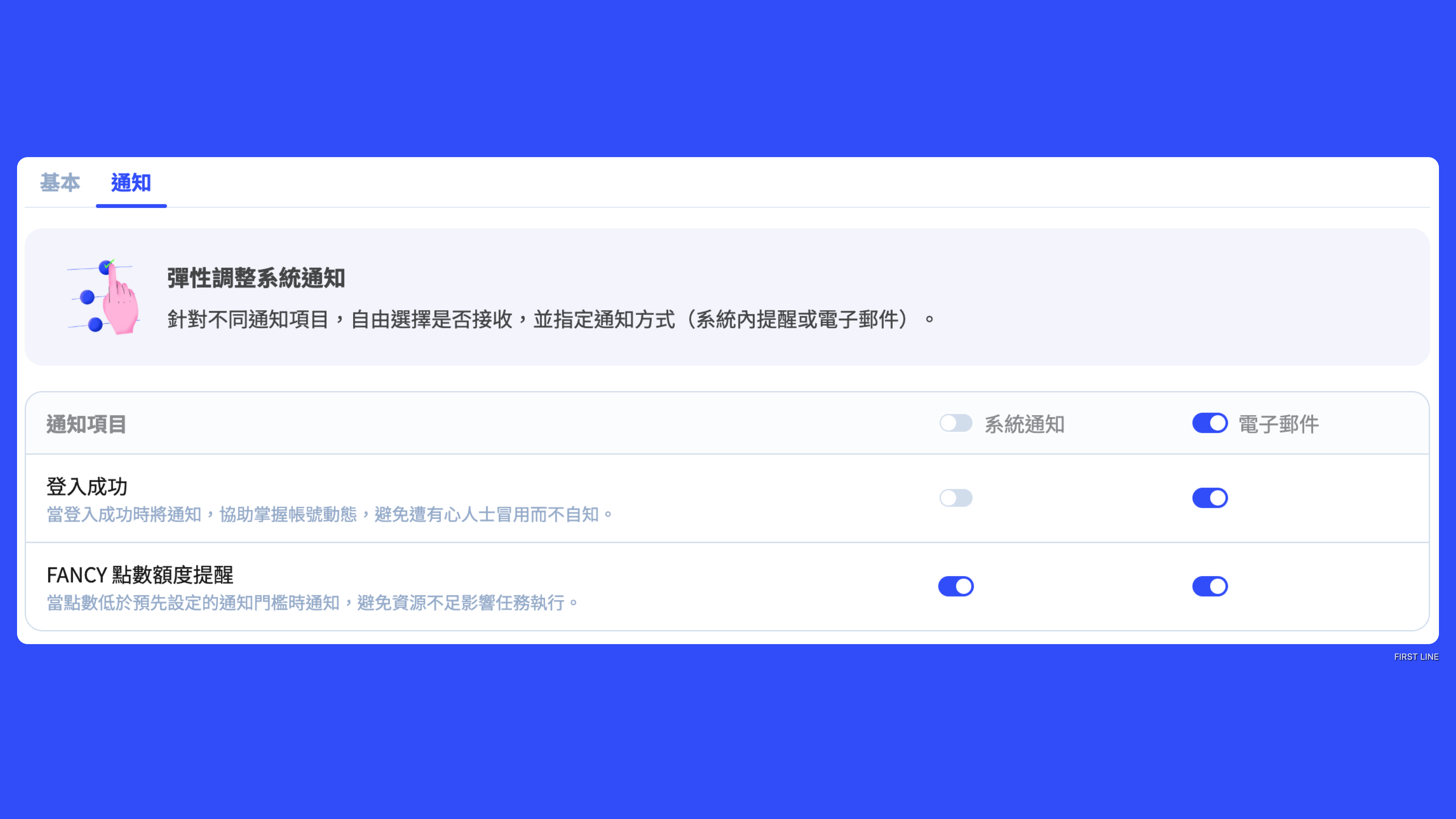
#### **Personal email notification settings**
Now, you can in your personal settings**additionally enable email notification features**to receive real-time notifications for specific situations, improving security and convenience of use. For example, in scenarios like "successful login" or "FANCY points balance low," these help strengthen account monitoring and real-time awareness of account status—enable the corresponding notifications as needed.
***
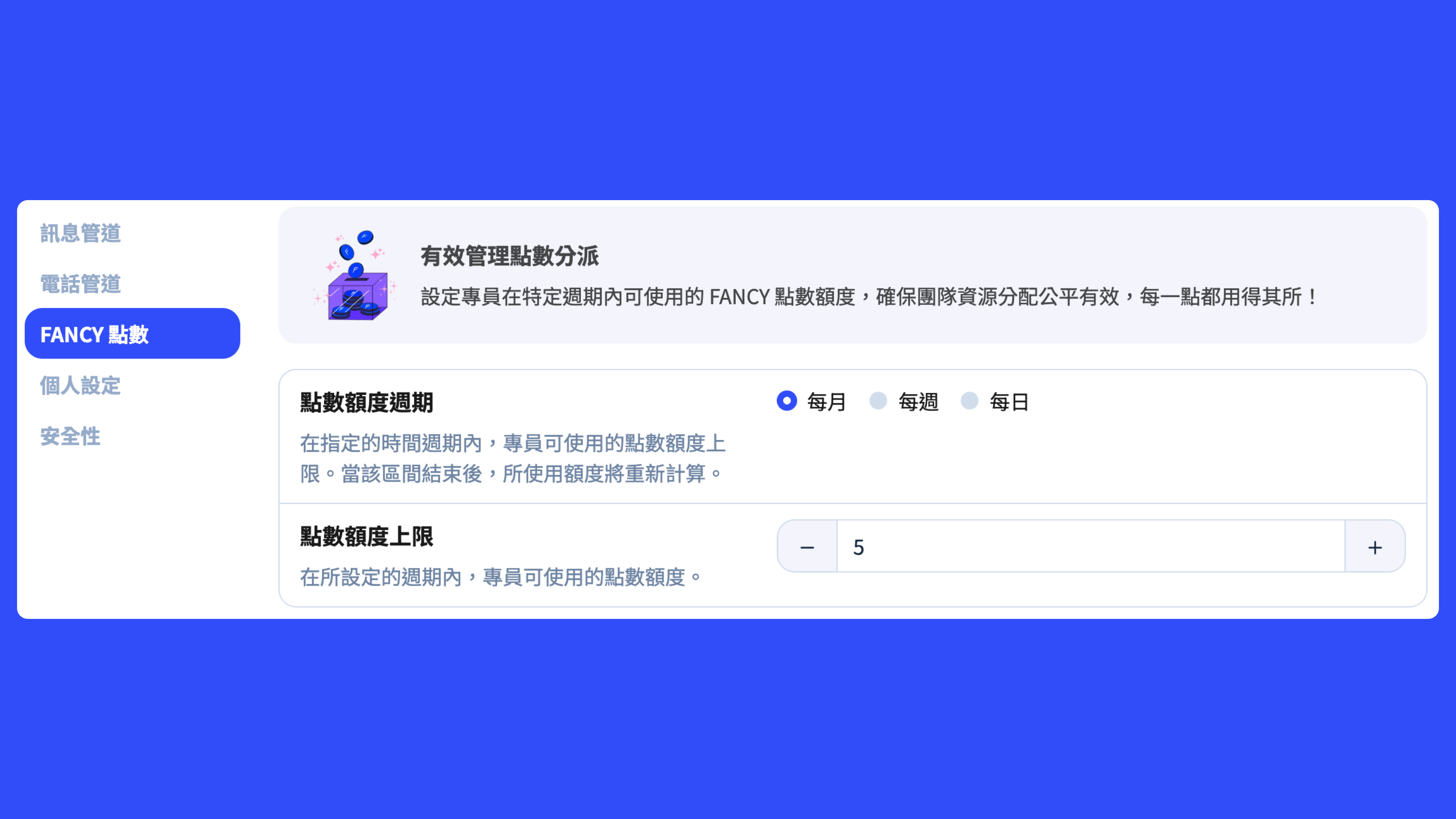
#### New points quota is here to make resource management smarter!
In this update, you can set periodic FANCY points usage limits for specific agents—weekly, monthly, etc.—such as "up to 100 points per month," making management easy without relying on memory!
Agents can now also view the system's total points and their own usage directly from the profile page in the top-right corner.
This makes the point usage rules clearer, resource allocation fairer, and ensures use of advanced features stays within reasonable limits. It's especially suitable for situations where team members have different roles and diverse needs, helping businesses manage AI resources more intelligently—both flexibly and efficiently!
***
#### 🔐 Permission update: Added marketing-related permission items
This update adds permission items related to the marketing module, including:
* LINE rich menu (image-text menu)
* tracking links
* coupon functionality
By using more granular permission divisions, you can effectively control users' operational permissions within the marketing module, enhancing account management flexibility and security.
***
#### 💪🏼 New features and improvements
* Some interfaces have been redesigned to avoid overly dispersed information. For example, the employee edit interface will be adjusted according to functionality and re-categorize settings to make workflows clearer and easier to use.
* Strengthening the phone channel when calls are connected**Automatic creation of service record reinforcement mechanism**. This reduces missed record creation caused by factors such as unstable user networks or loading delays, further enhancing overall user experience and data integrity.
* Adjusted the filtering method of the notification center,**the original “Read” and “Unread” options will be merged into two modes: “All” and “Unread”**. “All” will display all notification content, while “Unread” will only show notifications that have not yet been viewed, helping to more quickly focus on items to be handled and improving the convenience of viewing and tracking notifications.
* Improved the error prompt mechanism in the service desk when “auto-save” fails. For unclear prompts when saving fails (for example: required fields not filled, referenced data deleted, etc.), the system will now**display clearer error reasons**, helping users quickly clarify issues and complete their tasks.
* To align with the latest Azure AD setup process, we have adjusted**the description content of the “SSO Login” item in system settings**, making it clearer how it corresponds to the current Azure AD steps and field configurations.
* **To-do item contents now also support assistance from AI for writing and optimization**! Quickly improve content to make your work records more complete and more professional.
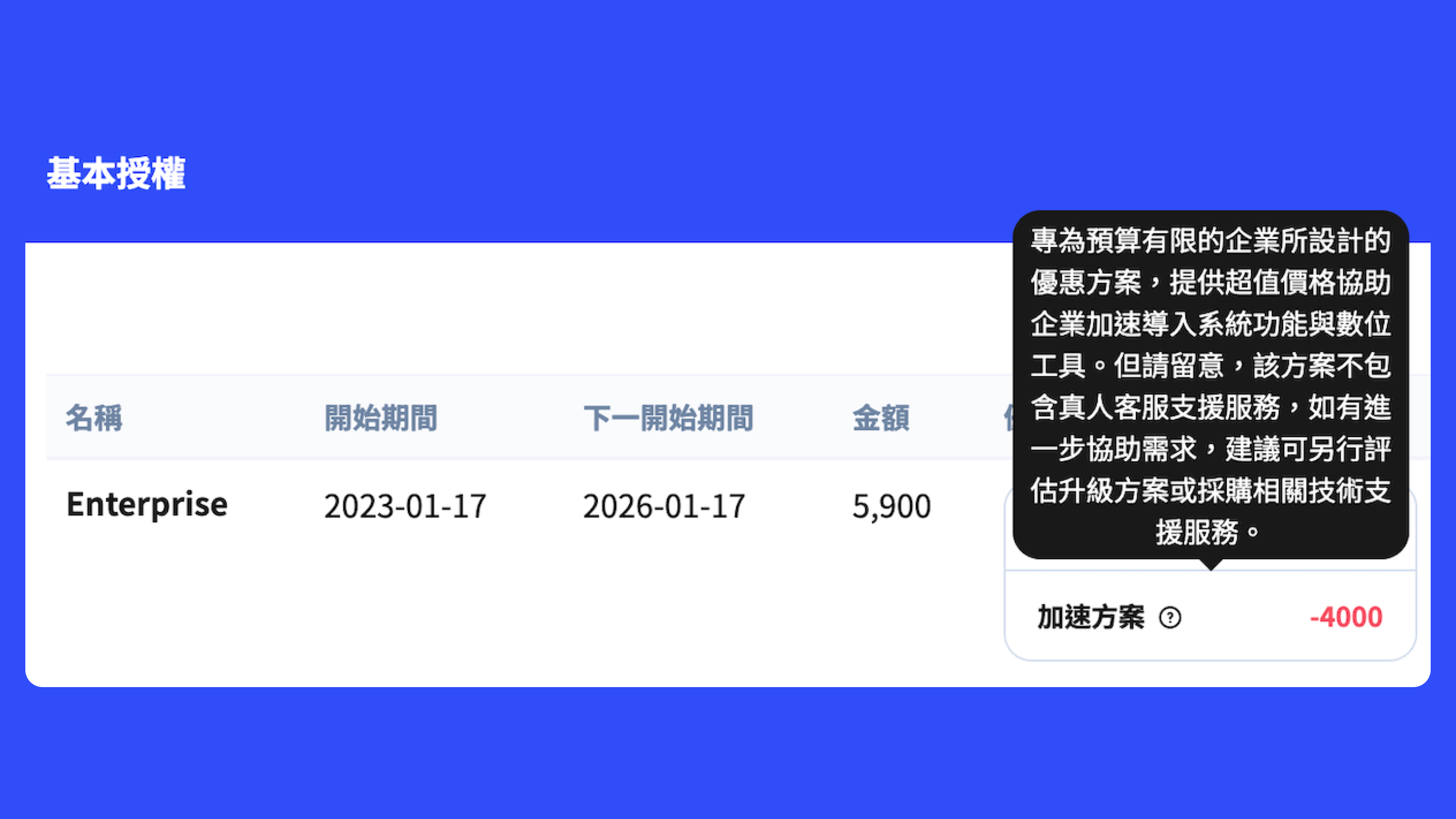
* In response to situations like the pandemic,**we launched various promotional plans in the past, which caused some users to become confused about the current plan details**, and even led to misunderstandings with customer service staff. To improve the user experience, we have enhanced the “Billing Overview” interface to clearly present plan contents, number of licenses, and applicable benefits, along with explanations, making information more transparent and easier to query.
* Fixed an abnormal issue with drag-and-drop operations in the import function. Previously, an incorrect behavior occurred when dragging available fields to the template list.
* Fixed an issue where using custom fields of type “relation” could cause the browser to freeze or become unresponsive in the view screen if related data was incomplete.
#### 🛠️ Developer notice: Webhook response time adjustment
This update will simultaneously restore the Webhook response time limit to **15 seconds**, to ensure resources can be used fairly and effectively. Developers should note the related adjustments and check whether their services meet the new time limit requirements.
## 2.78.11.03
#### 📢 Webhook mechanism adjustment notice
To improve overall system stability and resource usage efficiency,**FIRST LINE** will make the following adjustments to the Webhook processing mechanism. Please be sure to note them and promptly update related integration settings:
#### Cancel automatic retry mechanism
Based on usage statistics,**over ninety percent of failed Webhook requests still cannot succeed even after retries**, which instead wastes server resources. Therefore, we will comprehensively**cancel the Webhook automatic retry mechanism**. If your service design relies on this mechanism, please adjust your logic as soon as possible and verify the availability and stability of the receiving server to ensure timely processing of information.
#### Response time limit within 15 seconds
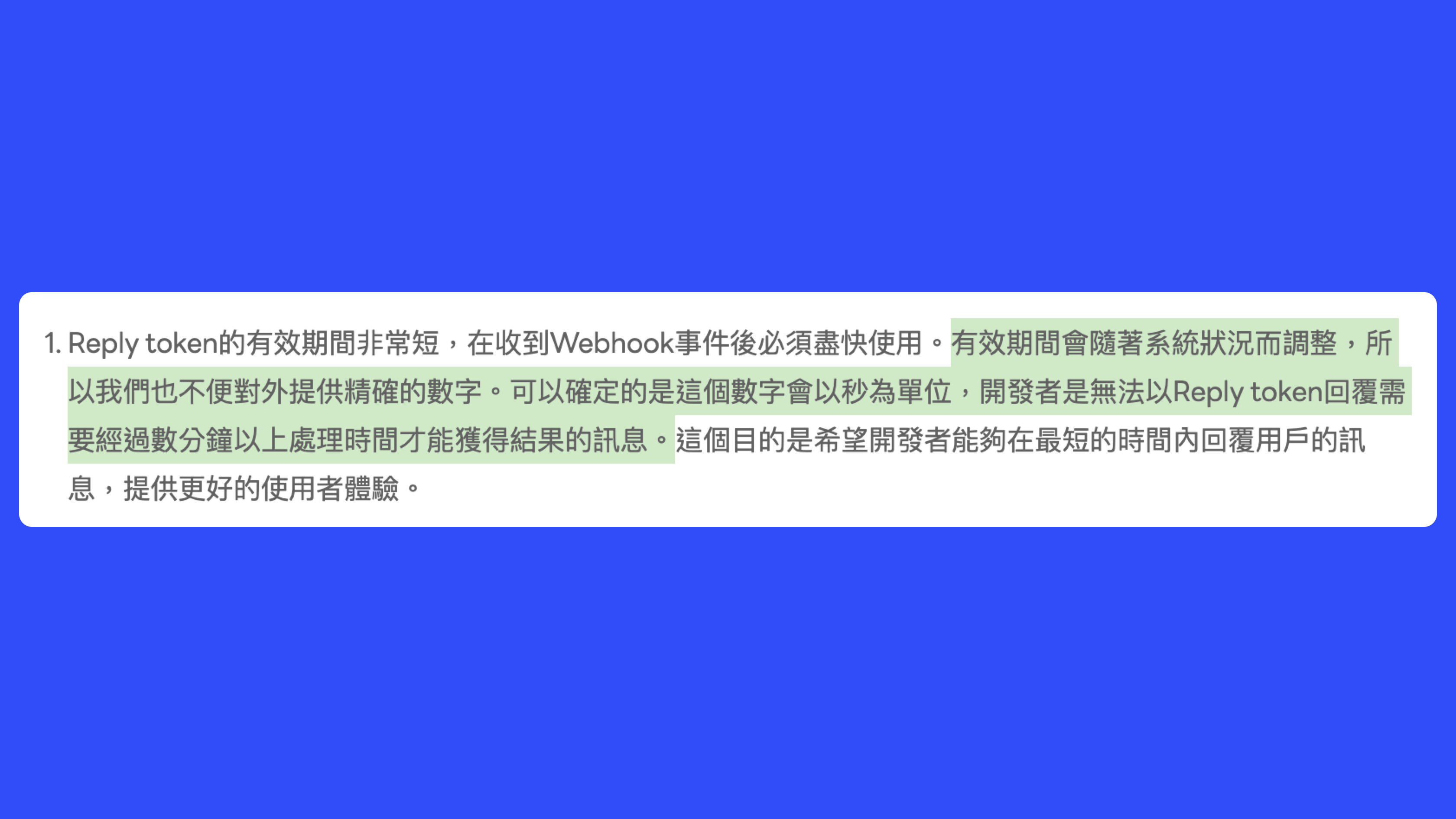
The original response time limit referenced mechanisms similar to LINE's Reply Token and adopted a **flexible waiting time of 5 to 80 seconds**. However, in practical operation this design easily causes confusion, leading users to mistakenly assume long delays are acceptable, resulting in implementation errors.
To improve consistency and clarity,**Webhook requests will be uniformly required to complete responses within 15 seconds**. Requests exceeding the time limit will be considered failures (timeout), and the flexible waiting mechanism will no longer be retained.
> 1. *This rule was previously announced in version 2.74.09; this is a reminder.*
> 2. *The adopted 15-second Webhook response time limit is formulated based on a combination of practical standards from multiple mainstream platforms (such as LINE: 1 second, Facebook: 5 seconds, Microsoft Teams: 10 seconds, etc.), practical experience, and FIRST LINE user usage statistics.*
**Please review and update your Webhook implementation logic as soon as possible**, to avoid future message loss or service interruptions due to non-compliance with the new standards. If your service**is not affected by this adjustment**, and has no related dependencies, you may safely skip this adjustment.
## 2.78.11.02 (04/24)
* Optimized the "Knowledge Base AI Extraction" feature by adding UTF-8 encoding checks and attempted automatic conversion mechanisms to ensure uploaded files can be successfully parsed by the AI.
* could not play properly. **Knowledge Base AI Content Extraction** encountered interruptions when encountering special characters or symbols.
* could not play properly. **The "Enable" column for segmented messaging campaigns** was displaying abnormally and has been restored to normal display.
## 2.78.11 (Q1 Major Update)
#### 🧠 AI capabilities enhanced and reply abilities improved
* **Single message "AI Inquiry" enhanced context understanding:** The "AI Inquiry" feature now has enhanced context understanding to help agents more quickly search for possible answers from knowledge bases, products, and other data and compile them into reply messages.
* **Message rewriting feature enhanced:** The message rewriting feature has been further improved and can now more easily generate ready-to-use messages, greatly increasing work efficiency. Agents can produce high-quality content more quickly when composing or editing messages, reducing editing time.
* **AI agent reply capability enhanced:** The AI agent's reply capability has been strengthened to provide more accurate and useful responses, enabling customers to obtain satisfactory answers and solutions faster.
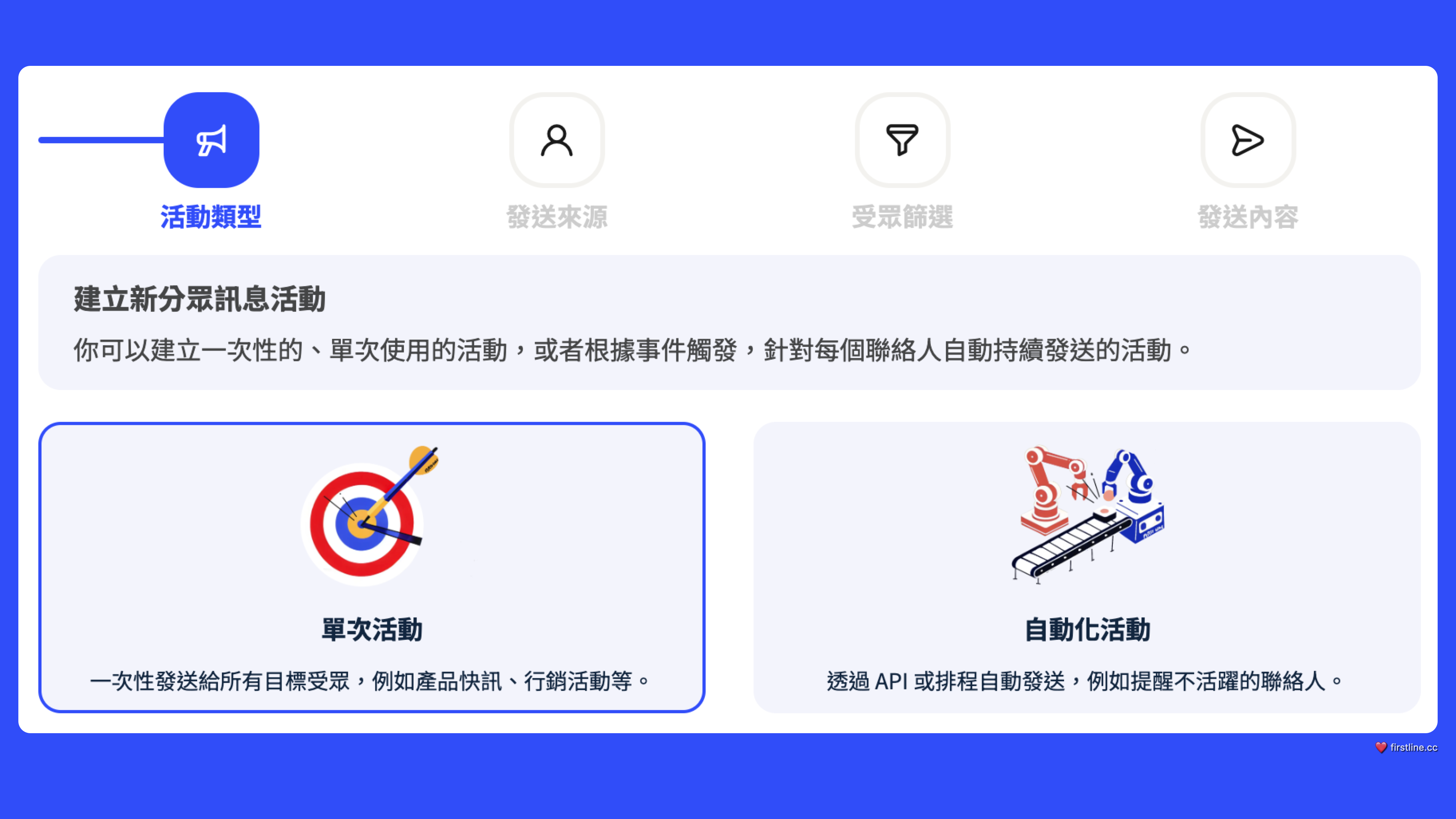
#### 🚀 **Segmented messaging upgraded again — more flexible, more intuitive!**
We are about to strengthen**Segmented messages**application, making communication more precise and efficient!
* **Add type settings:**Supports "one-time" and "automated"**sending, which can be automatically executed based on events or schedules. You will be able to precisely reach specific targets through external integrations, such as reminders**inactive contacts**or**to re-engage unsubscribed users.
* **More intuitive interface:**Filter conditions and channel steps are combined, with clearer context and simpler operations!
* **Added "Segmented Message Campaign" permission and marketing categories:**Added permissions related to "audience-specific messaging campaigns" and categorized them under a new "Marketing" section to make permission management and settings more convenient and clearer.
For example, you can set up automated messages to target different audiences for different situations. For instance, when a user cancels a subscription due to high costs, you can create a "cancellation recovery" campaign. When a user unsubscribes, trigger an event via API to automatically send a discount coupon to the lost user. This upgrade makes your message management smarter and easily improves engagement!
#### 🔐 **Security upgraded across the board, strengthening protection mechanisms!**
As**fraud and phishing websites**threats continue to increase, this update will**significantly enhance cybersecurity protection**, introducing a series of strengthened measures to ensure your data remains secure.
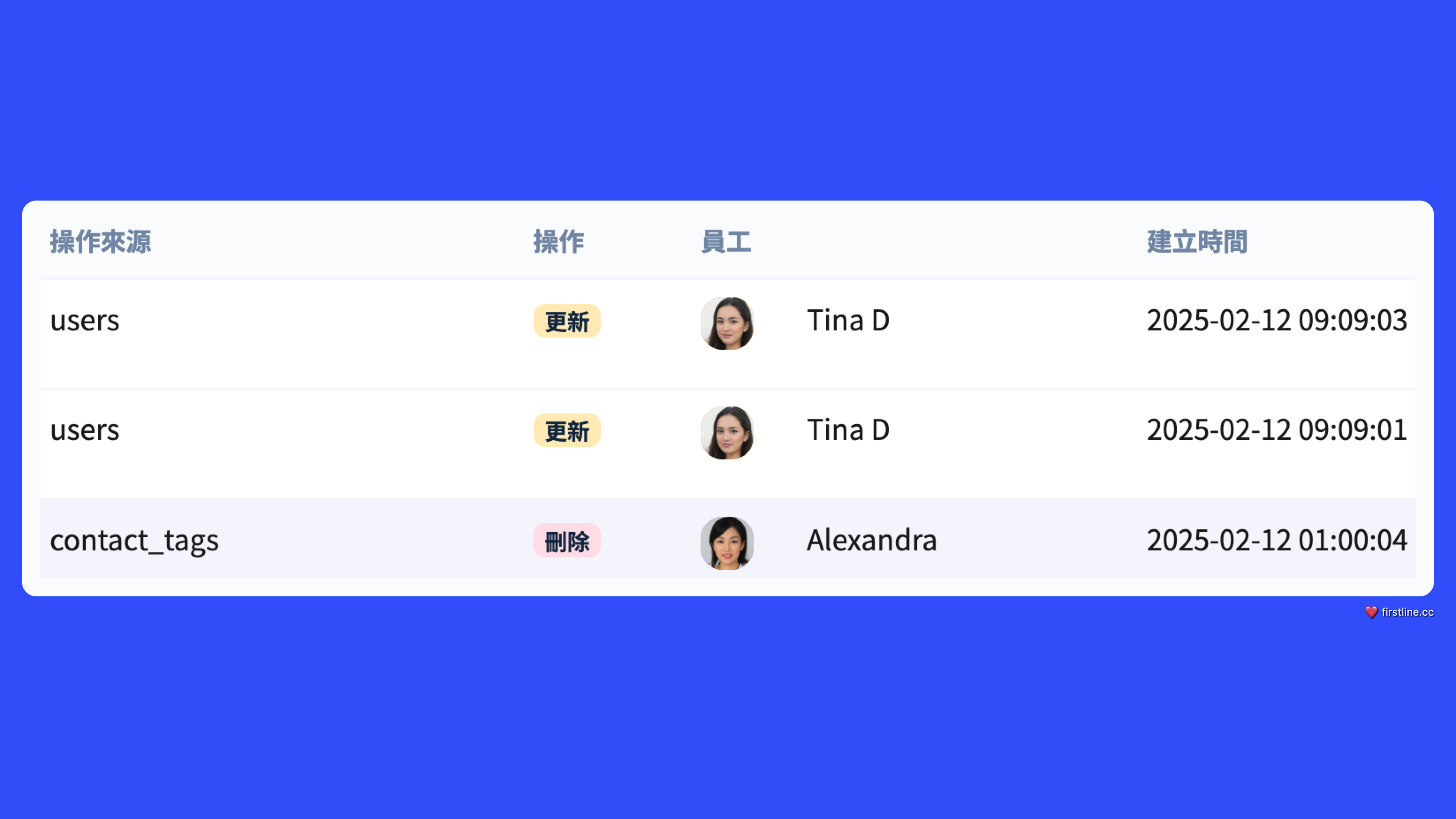
* **Added team transparency logs:**Specifically records within the system**important read and write behaviors**, such as**deleting a customer**and other critical operations, ensuring every step is traceable, reducing internal risk, and enhancing security.
* **Increased password length requirement**: Password length increased from the original 8 characters to 10 characters to strengthen account security.
* **Updating passwords in specific situations**: In certain situations, the system will recommend and require users to change their passwords to improve account security. For example, when a staff member logs in for the first time, if the password was set by an administrator or the system, a password reset is required.
{% hint style="warning" %}
**Mandatory employee email updates**
In a future release, we will require employees to enter their email addresses to more securely reset passwords and receive real-time notifications, thereby reducing potential security risks.
{% endhint %}
📈 **Dashboard upgrade! More comprehensive data!**
* **Adjustment of the "Personal Call Efficiency" value in calls**\
The personal call efficiency value in the phone interface of the navigation bar will be removed. Considering future scalability and statistics frequency, and to avoid dispersing duplicate functions, we will make "Personal Call Efficiency" a standalone dashboard tool. This tool will add four metrics: total outbound call time, total inbound call time, ACD call time, and total internal extension-to-extension call time. These values will help agents understand the details of their personal call time.
* **Added "Periodic Text-to-Agent Transfers"**\
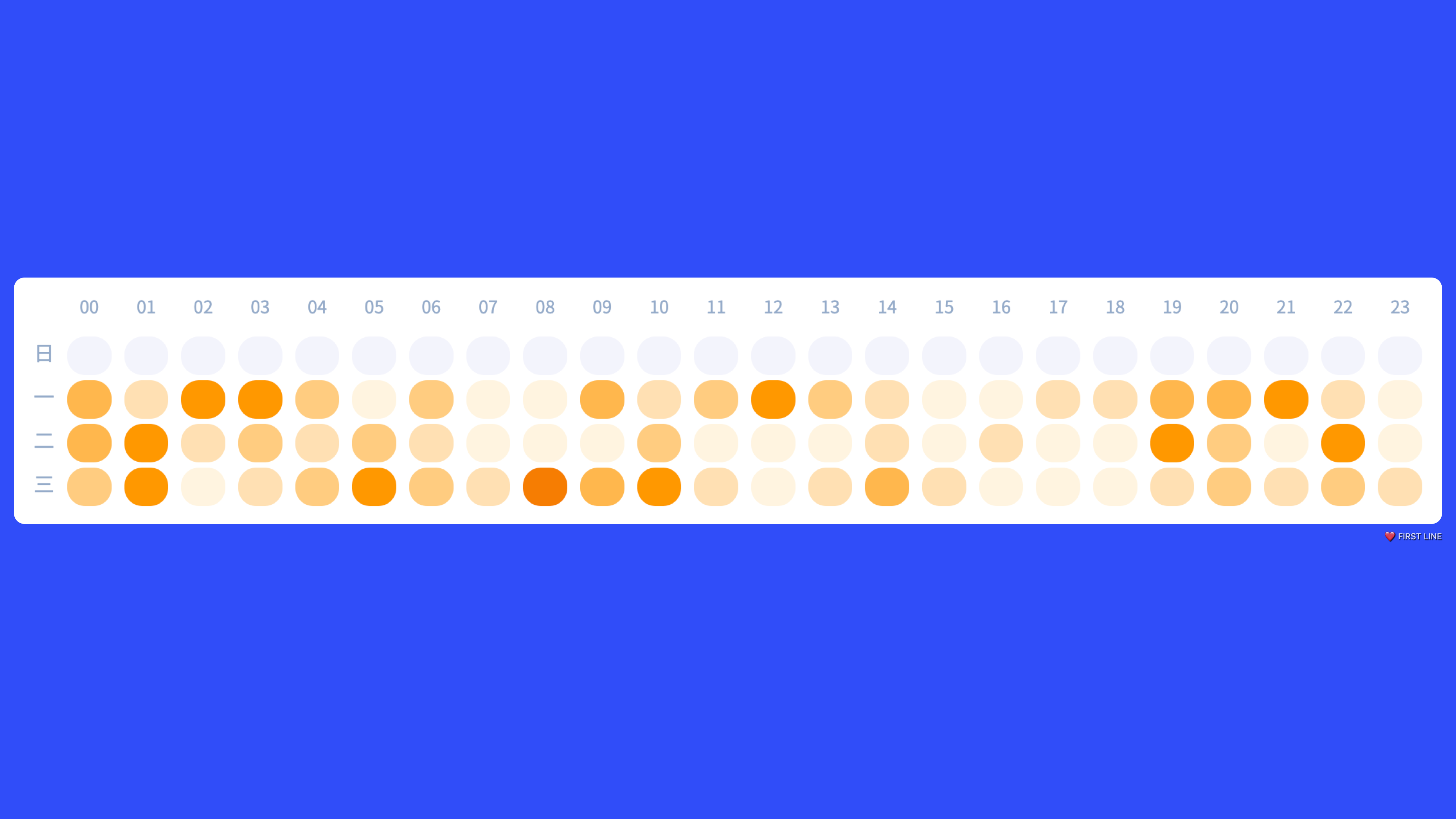
Added the "Periodic Text-to-Agent Transfers" dashboard tool to count the total number of times customers are transferred to live agents across time periods in messaging channels. This will help managers better understand customer service conditions at different times and assist in adjusting scheduling or allocating agent resources. This statistic begins with version 2.78.11 and will be aggregated and reported the following day.
***
#### Brand-new shortcut design to make top agents faster and more efficient!
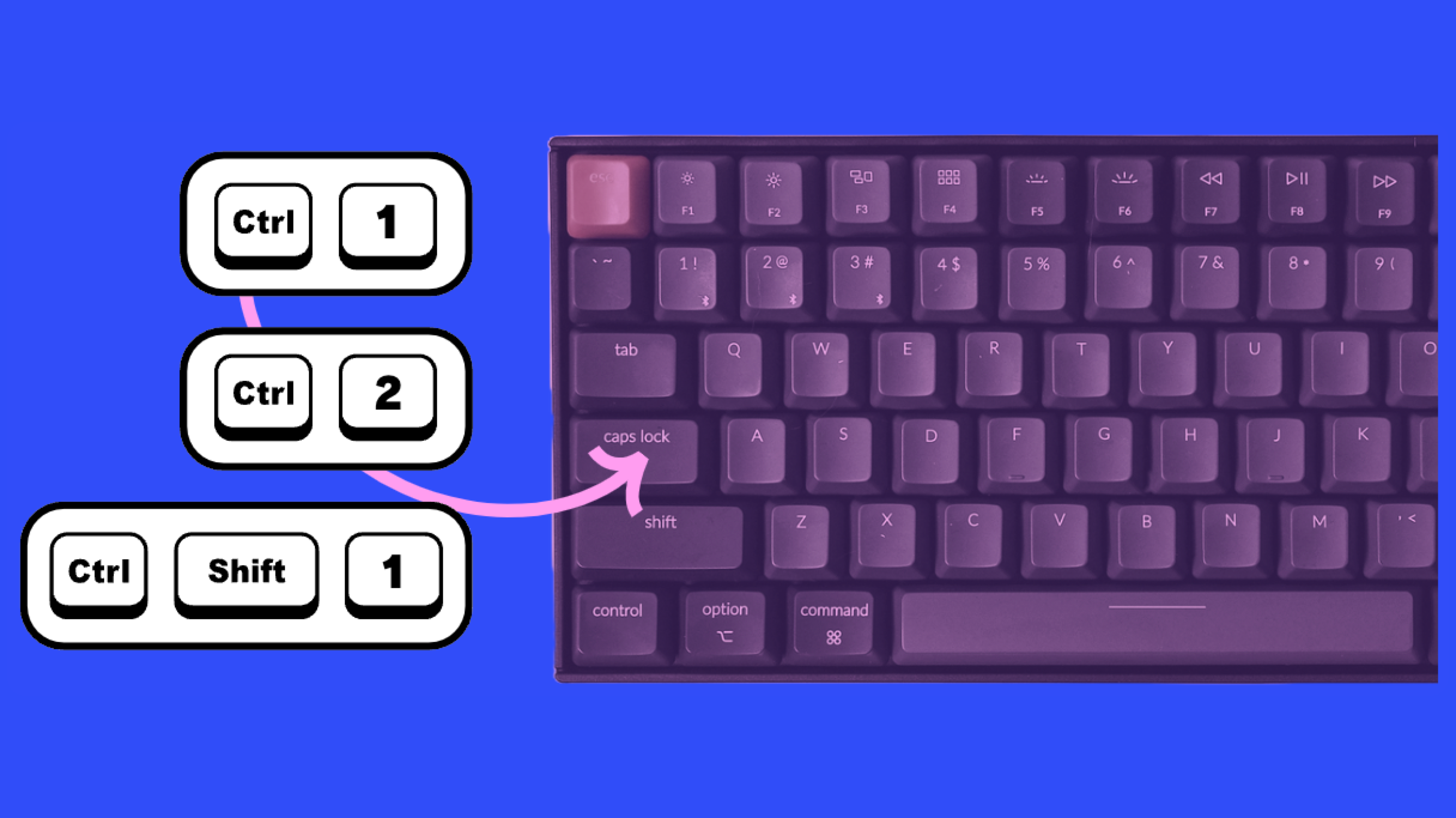
To help professional agents improve operational efficiency, we redesigned keyboard shortcuts so you can switch and handle service requests faster.
1. Adjusted some existing shortcuts, for example toggling the service desk is changed to CTRL + B for more intuitive use.
2. Added shortcuts for switching and answering services, such as CTRL + number, so you can jump quickly and respond instantly.
#### 💪🏼 New features and improvements
* For individual emails sent by customers, we have now added **"View Original Message"** functionality, allowing you to view the original **HTML** and related information, making it easier to pass the full content to technical support personnel and provide a more precise problem description and technical assistance.
* In the "Dashboard" under "Conversation Queue," a "Dispatch Records" view has been added so you can see the dispatch history of a conversation in recent days and understand its dispatch status. To accommodate this feature, the size and style of existing action buttons have been adjusted to avoid accidental clicks.
* Now, in addition to email addresses, you can search email contacts by display name.
* During phone calls, if an agent accidentally tries to close the page or perform other actions, the system will use the browser's default prompt to ask the agent to confirm closing, preventing accidental interruption of the call.
* Fixed an issue where creating a service record from a call log did not automatically navigate to the service desk, ensuring a smoother flow and automatic redirection to the service desk for follow-up.
* Adjusted an issue where internal chat messages could display out of order due to time synchronization problems, ensuring messages display in the correct order.
* We have renamed the "In-Store" channel to better match its actual function and use cases.
## 2.74.09.02
* could not play properly.**On the phone channel before transferring a call**, if you first press**Hold**, it would subsequently be**automatically canceled**.
## 2.74.09.01
* Fixed an issue where the email channel could not proceed when entering a script, ensuring the process can execute normally and progress to the next step.
* Fixed a displacement issue that appeared in the history interface of the filter input box.
* Fixed an issue where live chat could not scroll properly in certain instances on Mac browsers.
* Fixed a variable overwrite issue for feedback items in the "AI Answer Agent" node within conversation scripts.
* When adding a LINE account, the naming method has been changed from numeric indexing to **timestamp**, to avoid conflicts caused by duplicate names.
* Fixed an issue where Webhook scripts could not be added due to changes in URL validation rules